
AI agents · OpenAI dots
Give your OpenAI dot a social media job.
Connect Beevi to your dot and send it one message. Every Monday it sends you the week’s posts, you reply “approve 1, 3”, and Beevi publishes them. You keep baking.
Setup takes about five minutes · Nothing publishes without your approval
The short version
What are OpenAI dots?
OpenAI dots are always-on AI agents inside ChatGPT, launched on September 29, 2026. Unlike a chat, a dot keeps working between conversations: it has its own cloud computer, connects to apps through ChatGPT plugins, runs scheduled tasks, and follows Custom Rules you set for what it may do alone and what needs your OK.
- Launched
- September 29, 2026, at OpenAI DevDay
- Plans
- First dot included in ChatGPT Pro and Business Premium
- Not yet in
- The EEA, the UK and Switzerland (Pro, at launch)
- Works in
- ChatGPT on web, desktop and mobile, plus Slack and Teams
- Connects to
- 4,000+ apps through ChatGPT plugins, and custom MCP servers like Beevi
Four steps
How do I connect Beevi to my OpenAI dot?
If you can paste a link, you can do this.
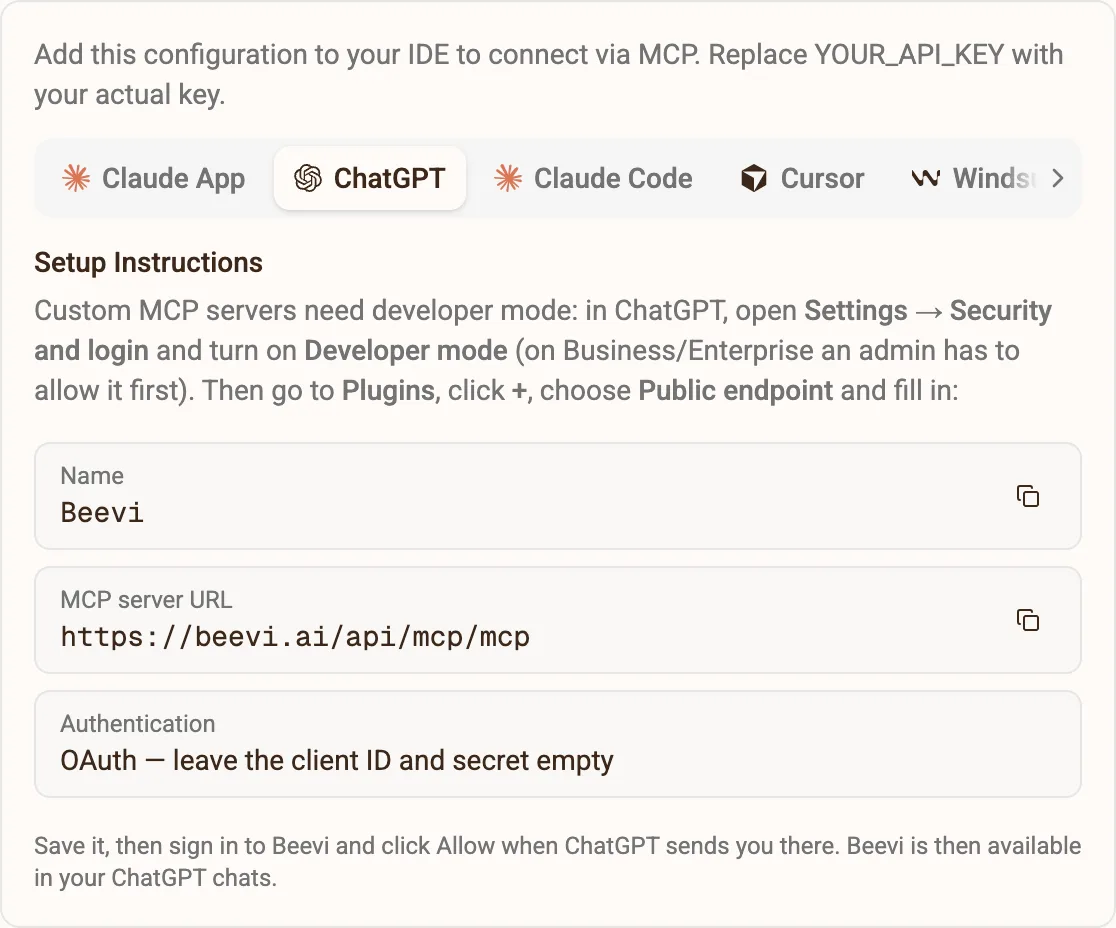
Add Beevi as a plugin in ChatGPT
In ChatGPT open Settings → Security and login and turn on Developer mode. Then go to Plugins, click +, name it Beevi, paste this URL and choose OAuth:
https://beevi.ai/api/mcp/mcpChatGPT then opens Beevi. Sign in (or create a free account) and click Allow. No API key needed.
Send your dot this message
Open your dot at chatgpt.com/dots and paste this in. That’s the whole setup.
You run my social media through Beevi. - First, list my Beevi workspaces and pick the one for my business. - Every Monday at 9am, send me the posts Beevi has ready for the week, numbered, so I can approve them. - If the week looks thin, ask Beevi to draft a few more on this week's trends. - When I say "approve 1, 3", approve those posts in Beevi. Beevi publishes them on schedule. - Never approve, publish or delete anything without my OK.Keep publishing in your hands
In Settings → Personalization → Custom rules, add one rule: “Approve or schedule a Beevi post” → Ask before taking action. Your dot can draft freely, and nothing goes live without your yes.
A week with your dot
Monday, 9:00. Your week is already written.
One message on Monday. Reply like you’d text a colleague. Beevi does the rest and publishes on schedule.
- Your dot checks this week’s trends and what Beevi drafted
- It tops up the week if it’s thin, and tells you why
- You answer “approve 1, 2” from ChatGPT, Slack or Teams
- Beevi publishes on the right day, in the right format for each platform
Beevi · get_compass list_posts generate_post
Morning! Beevi has 4 posts ready for this week. Sourdough searches are up 30%, so I asked for one more on that.
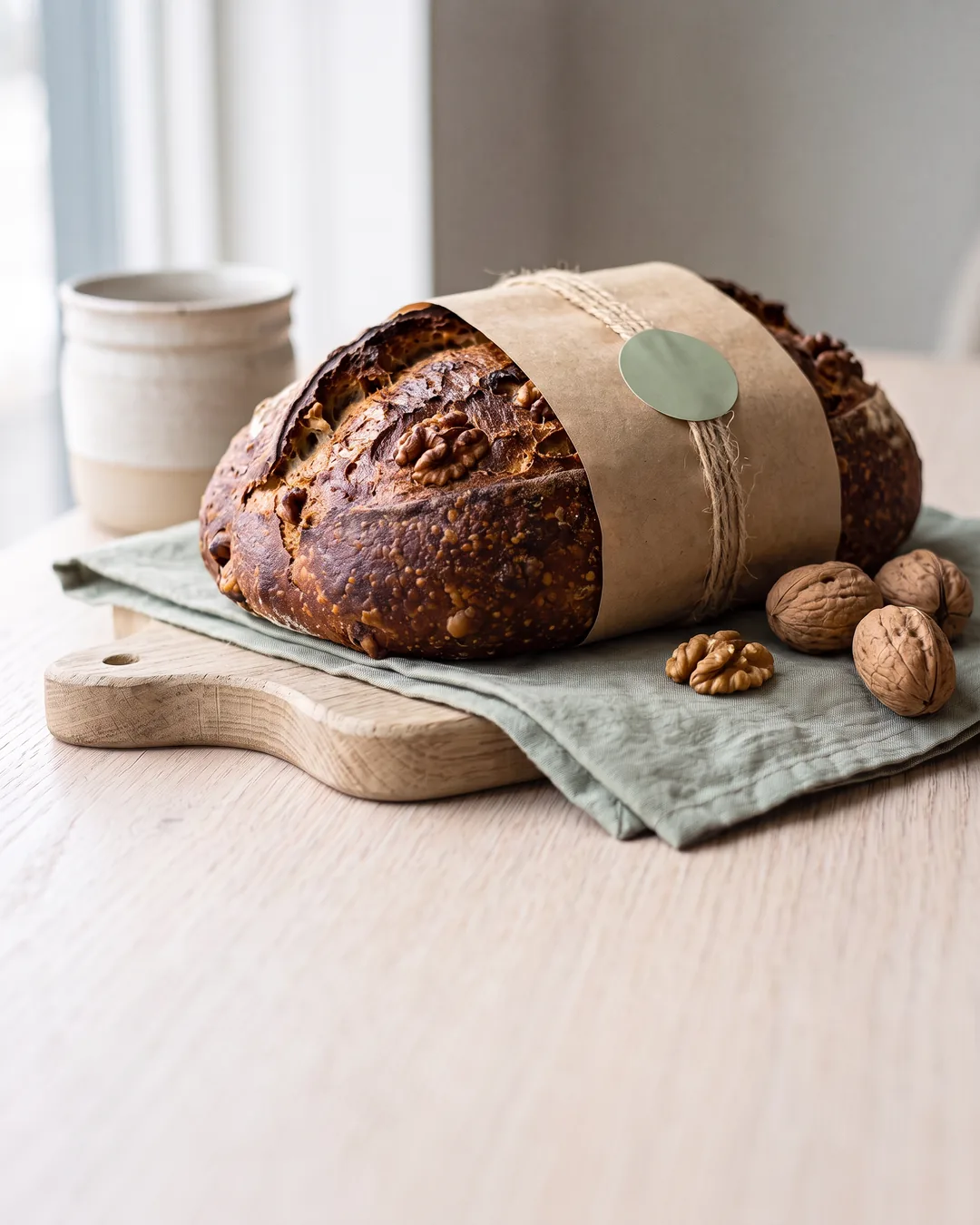 1 · Instagram Tue 9:00
 2 · LinkedIn Wed 12:30
 3 · Facebook Thu 8:00
approve 1, 2. fix 3: make it warmer
Beevi · approve_post update_social_post
Done. 1 and 2 are scheduled. Here’s the warmer version of 3 →
Straight answers
OpenAI dots and Beevi, answered
What are OpenAI dots?
What is the difference between a dot and ChatGPT?
Can an OpenAI dot post to Instagram, LinkedIn or TikTok?
How do I connect Beevi to my dot?
Is Beevi an official ChatGPT plugin?
Will my dot publish posts without asking me?
Which ChatGPT plans include dots?
My dot can’t see Beevi. What do I check?
Does it cost extra?
Using Claude, Cursor or ChatGPT without a dot? See the Beevi MCP server setup →
Seven days, no card
Your dot is ready. Give it a brand.
Sign up, give Beevi your website, and your first week of drafts is waiting before your dot’s first Monday.