The best Black Friday social media posts for a small business start about 10 days early. Post a teaser, give your followers early access, then share the offer with clear dates and hours. On the weekend, add Small Business Saturday and Cyber Monday posts, and end with a thank-you. Below are 40 ideas sorted by business type, plus a 2-week plan and captions you can copy.
Most small shops don't lose Black Friday because their deal is weak. They lose it because they post once, on Friday morning, when every big store is shouting at the same time. Your followers never saw it coming, so they never planned to buy.
This guide fixes that. You get the 2026 dates, a day-by-day plan, and 40 post ideas for shops, cafes, salons and service businesses. (We build Beevi, an AI social media manager that writes, designs and schedules posts across six platforms, and nothing goes live without your approval. You can try Beevi free for 7 days, no card needed, or just use the ideas below on your own.)
Black Friday 2026 dates for small businesses
Black Friday is not one day anymore. For a small business, it is a six-day stretch from Thanksgiving to Giving Tuesday. Here are the dates to plan around in 2026:
| Day | Date | What to post |
|---|---|---|
| Thanksgiving | Thursday, November 26 | A thank-you post with no sales pitch, plus your holiday hours |
| Black Friday | Friday, November 27 | Your main offer, live updates and stock news |
| Small Business Saturday | Saturday, November 28 | Shop local posts, your team, your street |
| Cyber Monday | Monday, November 30 | Online deals, gift cards and last calls |
| Giving Tuesday | Tuesday, December 1 | A cause you support, and a thank-you round-up |
The SBA confirms Small Business Saturday falls on November 28, 2026. For the rest of the season, our free social media holiday calendar lists the dates worth posting about each month.
A 2-week Black Friday posting plan
You don't need to post every day. You need to post at the right moments. This plan uses about 12 posts over two weeks, which one person can batch in a single afternoon.
| When | Post job | Example |
|---|---|---|
| Mon, Nov 16 | Save the date | "Something good is coming on Nov 27. Turn on notifications." |
| Thu, Nov 19 | Sneak peek | A blurred photo of your best seller or a closed gift box |
| Sat, Nov 21 | Poll or vote | "Which one should we put on sale? Vote in our Story." |
| Tue, Nov 24 | Early access | "Followers get first pick on Thursday night." |
| Wed, Nov 25 | FAQ post | Shipping dates, returns, how the deal works |
| Thu, Nov 26 | Thank-you | A short note from the owner, with holiday hours |
| Fri, Nov 27 | Offer live | The full deal, then Stories through the day |
| Sat, Nov 28 | Shop small | Your team and your street, plus Saturday hours |
| Mon, Nov 30 | Cyber Monday | Online deal or gift card bonus |
| Tue, Dec 1 | Last call and thanks | "Ends tonight" plus a photo round-up |
If you only have time for four posts, keep the save the date, the early access post, the offer and the thank-you.
Black Friday social media posts for shops and online stores
Shops have the most to gain and the most noise to beat. These ideas help your post look like a plan, not a panic.
1. The mystery box teaser. Post a photo of a wrapped box with the line "Opening on Nov 27. Want to know what's inside first?" Ask people to comment a word to get the early link.
2. Let followers pick the deal. Put three products in a carousel and let people vote in your Story. Voters feel like they helped, so they come back to buy.
3. Gift guide by budget. A swipe post with gifts under $25, under $50 and under $100. People often save these posts, since they are planning holiday gifts at the same time.
4. The honest price post. Show the normal price, the Black Friday price, and why you can do it this week. Maybe it's last season's color or a bundle. This answers the "fake sale" worry before anyone types it.
5. Bundle of the year. Pack three products that go together into one set. Bundles feel generous and protect your margin better than 40% off everything.
6. Behind the scenes of packing. A 15-second video of you taping boxes at 11 p.m. People like buying from a real person, and this proves you are one.
7. Live stock updates. Stories through the day: "12 left," "4 left," "sold out, thank you." Only post what is true.
8. Customer unboxing repost. With permission, share a photo or video a past buyer posted. Real hands and real homes beat studio shots.
9. Shipping cutoff reminder. "Order by [your cutoff date] for delivery before Christmas." It's not exciting, but it answers the question people DM you most.
10. The gift card nudge. "Not sure what they want? A gift card arrives in one minute." This saves late shoppers and fills your January.
Black Friday ideas for cafes, bakeries and restaurants
Food businesses don't need a big discount. They need a reason to stop in during a busy shopping day. For more year-round ideas, see our coffee shop social media ideas.
11. Gift card with a bonus. "Buy a $30 gift card, get $5 for yourself." It can bring people back in January, a quiet month for many cafes.
12. Shopper's break menu. "Tired of the mall? A quiet table and hot cocoa are 3 minutes away." Add a map pin.
13. Holiday pre-orders open. Open pie, cake or cookie box orders on Black Friday, with an early-bird price until Sunday.
14. A one-day "black" special. A charcoal croissant, black sesame bun or dark chocolate tart for Friday only. It's playful and gives people a reason to share a photo.
15. Early morning prep video. Flour, trays and the oven light at 5 a.m. It reminds locals you're there before the shops open.
16. Office party booking post. Speak to office managers: "Book your December team breakfast this weekend and lock in this year's price."
17. Punch card deal. "Buy 8 coffees, get 10. This weekend only." Simple, and it brings people back all winter.
Black Friday ideas for salons, spas and beauty studios
Salons sell time, not boxes. So your best Black Friday posts sell future visits, not just products.
18. Prepaid visit package. Three visits paid now at a lower price, used before March. You get cash now and bookings later.
19. The gift card in an envelope. A clean photo of a gift card in a nice envelope with the line "The easiest gift you'll give this year."
20. A free add-on, not a discount. A mask with a facial, a brow tint with a shape, nail art on two fingers. Clients feel the value and your prices stay the same.
21. December bookings release. "We open December slots on Black Friday at 9 a.m. Our list gets them 24 hours earlier." Then link your sign-up.
22. Home care set. Bundle the products your team really uses, with a short video showing how to use them.
23. Team picks. Each stylist or therapist names one favorite product or treatment, in their own words.
24. Before-and-after, with permission. Share a real result only when the client has said yes in writing. If you have none this week, post the treatment room instead.
Black Friday ideas for service businesses
Plumbers, cleaners, coaches, tutors and studios can join Black Friday too. Your "product" is a booked job or a seat in a class.
25. Winter tune-up special. For HVAC and home services: "Book a furnace check before December 5 and we waive the trip fee." Keep the offer simple.
26. Gift a service. A house clean, a car detail or a lawn tidy as a gift card. Many people want to give help, not more stuff.
27. Early-bird calendar spots. "We have 10 January slots at this year's price. Grab one this weekend."
28. Class pack or session bundle. For fitness studios, tutors and coaches: buy five sessions, get one extra.
29. Meet the person who shows up. A photo of your tech or coach with one line about them. Trust is the real sale for service work.
30. The "what's included" carousel. Show exactly what the deal covers and what it doesn't. Clear rules stop angry DMs later.
Small Business Saturday social media posts
Small Business Saturday is your day. Big stores can't compete on being local, so lean into it.
31. Save the date with your hours. "Saturday, Nov 28. We open at 9. Free gift wrap all day."
32. The owner story. A 30-second video on why you opened the shop. Keep it short and real.
33. Team up with the shop next door. Feature a nearby business and ask them to feature you. Both of your followers see something new.
34. A shop small route. A simple map of five local stops near you, with a small perk for anyone who visits all five.
35. Live from the counter. Stories through the day: the morning setup, the busy hour, the last few items.
36. The evening thank-you. A photo round-up of the day and a real thank-you to everyone who came.
Cyber Monday social media posts
By Monday, people are tired of ads. Keep these posts short and useful.
37. "Missed Friday?" second chance. Bring back one or two deals for online shoppers only.
38. Digital gift cards. "Gift cards arrive by email in a minute. No shipping needed."
39. What sold out and what's back. A quick recap that shows real demand without hype.
40. Last call with a real deadline. "Ends tonight at midnight." Then actually end it.
Caption templates you can copy
Fill in the blanks and change the words so they sound like you.
- Teaser: "Something good is coming on [date]. Our followers hear about it first. Turn on notifications so you don't miss it."
- Early access: "You've supported us all year, so you get first pick. Our [deal] opens for followers on [day] at [time]. Link in bio."
- Offer live: "It's here. [Deal] on [products] until [end date]. Open [hours] at [address], or shop online."
- Shop small: "Big stores have big ads. We have [your street] and a team who knows your name. See you Saturday from [hours]."
- Thank-you: "Thank you for shopping small this weekend. Every order helps [your team / your family / your town]. We'll see you in December."
Mistakes that sink Black Friday posts
A few habits make good deals look bad. Skip these:
- Posting only on Friday. By then, people have planned their spending. Start at least a week early.
- Hiding the details. If people have to DM you for the price, the dates or the hours, many won't bother.
- Fake urgency. Don't say "only 3 left" when you have 300. Followers remember.
- The same post on every platform. A long Facebook caption looks odd on X. Trim it for each place.
- Going quiet after Monday. The thank-you and the "what's next" posts turn one-time buyers into regulars.
- Giveaways without rules. If you run a contest, follow each platform's promotion rules and write down how you pick a winner.
How to plan the whole week in one sitting
Here is a simple example. Say you run a small candle shop and you have one free afternoon in mid-November.
First, pick your one main offer and your dates. Next, write the 10 posts from the plan above in one document. Take 15 photos in one go: the product, the packing table, your hands, your street. Then schedule everything so the posts go out while you are busy at the counter. If you want a refresher on batching, our guide to batching a month of social content in one afternoon walks through it step by step.
This is the work Beevi does for you. It learns your brand, drafts the whole Black Friday week in your voice, designs the images, and lines the posts up on a calendar for Instagram, Facebook, LinkedIn, X, TikTok and YouTube. You review each post and tap approve. Nothing goes out without your OK, and approvals come with every plan, including Free.
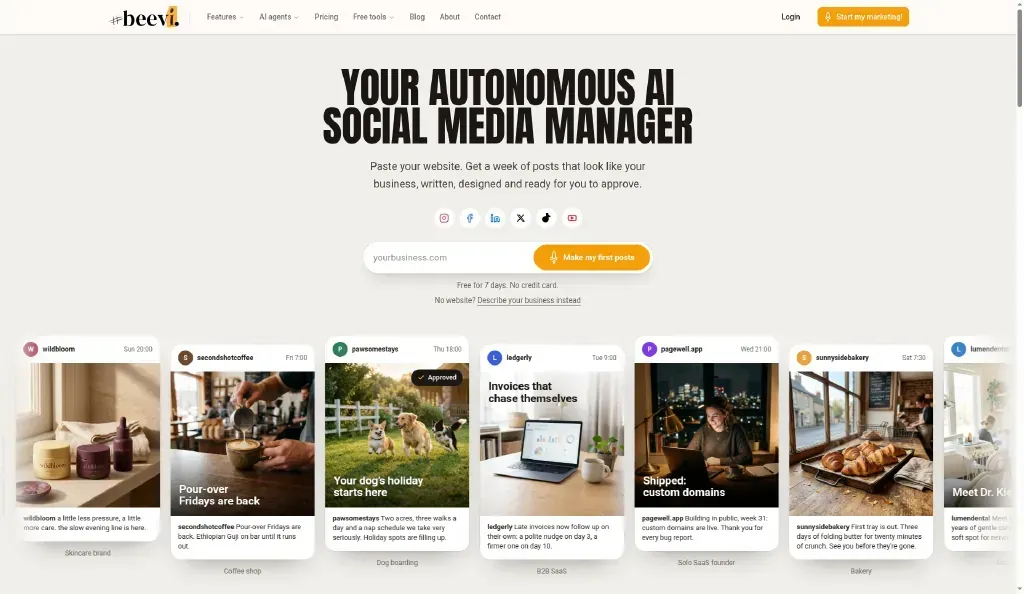
You can let Beevi draft your Black Friday week with a free 7-day trial. No card is needed. After the trial you move to a Free plan where publishing and scheduling stay free, and AI writing and images use credits from a paid plan or credit pack. If you'd rather write the posts yourself, the social media scheduler still lets you line them up and walk away.
Once the weekend is over, don't let those posts go to waste. You can repurpose the content into December gift guides and January "thank you" posts.
Your Black Friday plan in one line
Start on November 16, post about 12 times over two weeks, and make every post answer one question: what is the deal, when does it end, and why should a local person buy from you instead of a big store. Pick 10 ideas from this list today, then fit them into your social media content plan for the rest of the season.
Ready to skip the blank screen? Start your free 7-day trial and let Beevi draft your Black Friday week for you, or compare plans first.