
MCP server · LinkedIn
The LinkedIn MCP server for your posts.
LinkedIn doesn’t offer an official MCP server (as of September 2026). Every LinkedIn MCP server is third-party, and most of them read LinkedIn data: profiles, jobs, your inbox. Beevi’s is the posting kind. Your AI drafts, designs and schedules posts to your LinkedIn profile or Company Page through LinkedIn’s official API, and nothing goes out until you approve it.
https://beevi.ai/api/mcp/mcp
Works on every plan, including the 7-day free trial · Nothing publishes without your approval
Write a LinkedIn post for the company page about our new walnut loaf.
Beevi · generate_post
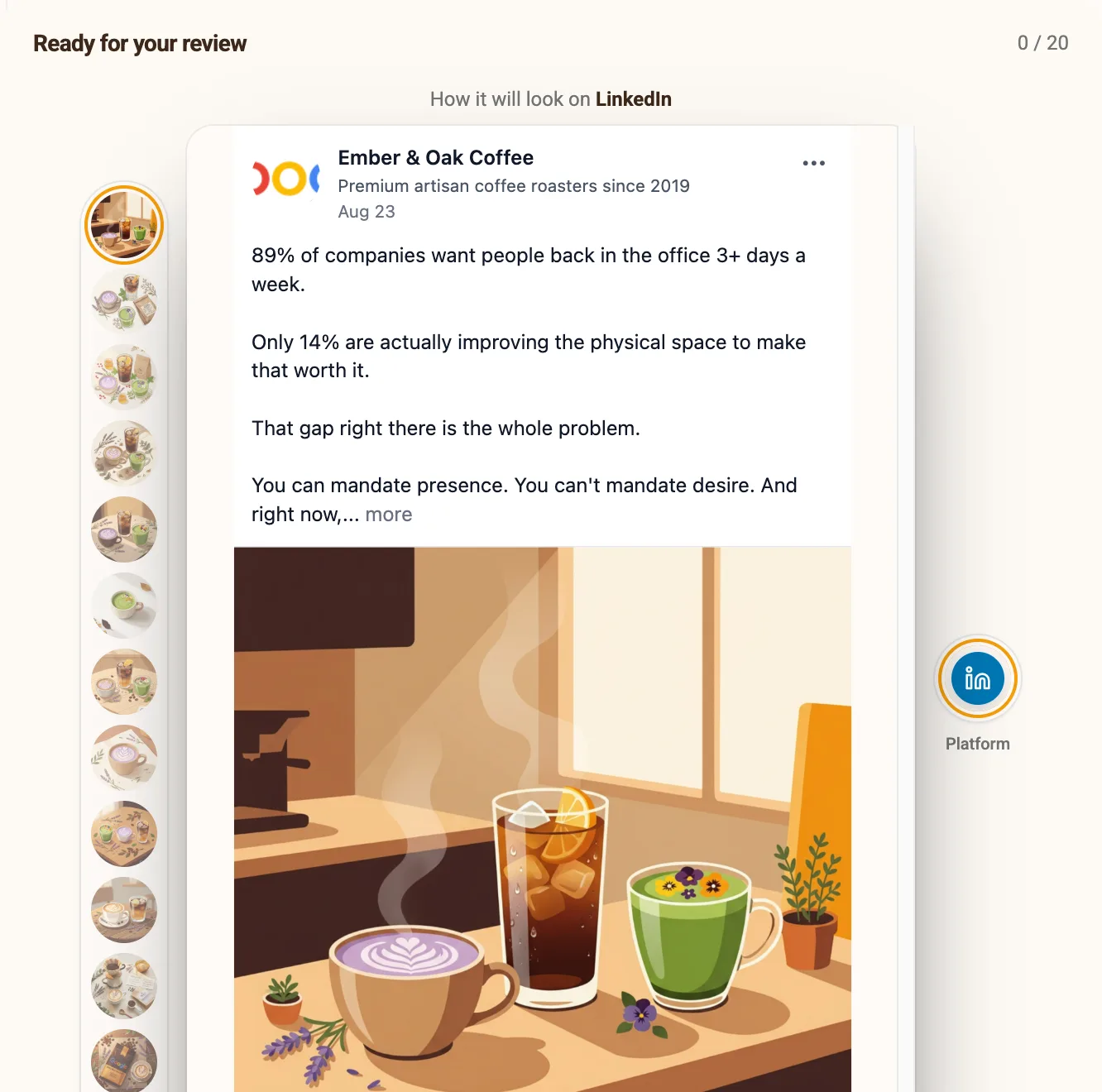
Drafted in your voice, with a cover in your colours. It’s scheduled for Wednesday and waiting for your approval.
 LinkedIn Page Wed 12:30
Approve it.
Beevi · approve_post
Which one do you need?
LinkedIn MCP servers, compared
A “LinkedIn MCP server” can mean three different jobs. Here is who does each one, checked September 2026.
| What you want to do | Your options | Good to know |
|---|---|---|
| Publish posts to your profile or Company Page | Beevi · Zapier MCP | Beevi writes and designs the post in your brand and queues it for approval. Zapier posts whatever your AI hands it. |
| Read profiles, companies, jobs or your inbox | linkedin-mcp-server (open source) · Apify LinkedIn MCP | These work through your logged-in browser session or scrapers. LinkedIn’s User Agreement prohibits scraping, so an account can get restricted. |
| Run LinkedIn ads | No official option yet | LinkedIn hasn’t released an ads MCP server. Beevi doesn’t run ads. |
Two minutes
How to connect Beevi to your AI
No code, no app to install. If you can paste a link, you can do this.
Get your Beevi API key
In Beevi, click Connect my AI on your home screen, or open Settings → API Keys, and create a key. Copy it now: it is only shown once. A workspace key reaches one brand; an organization key reaches all of them.
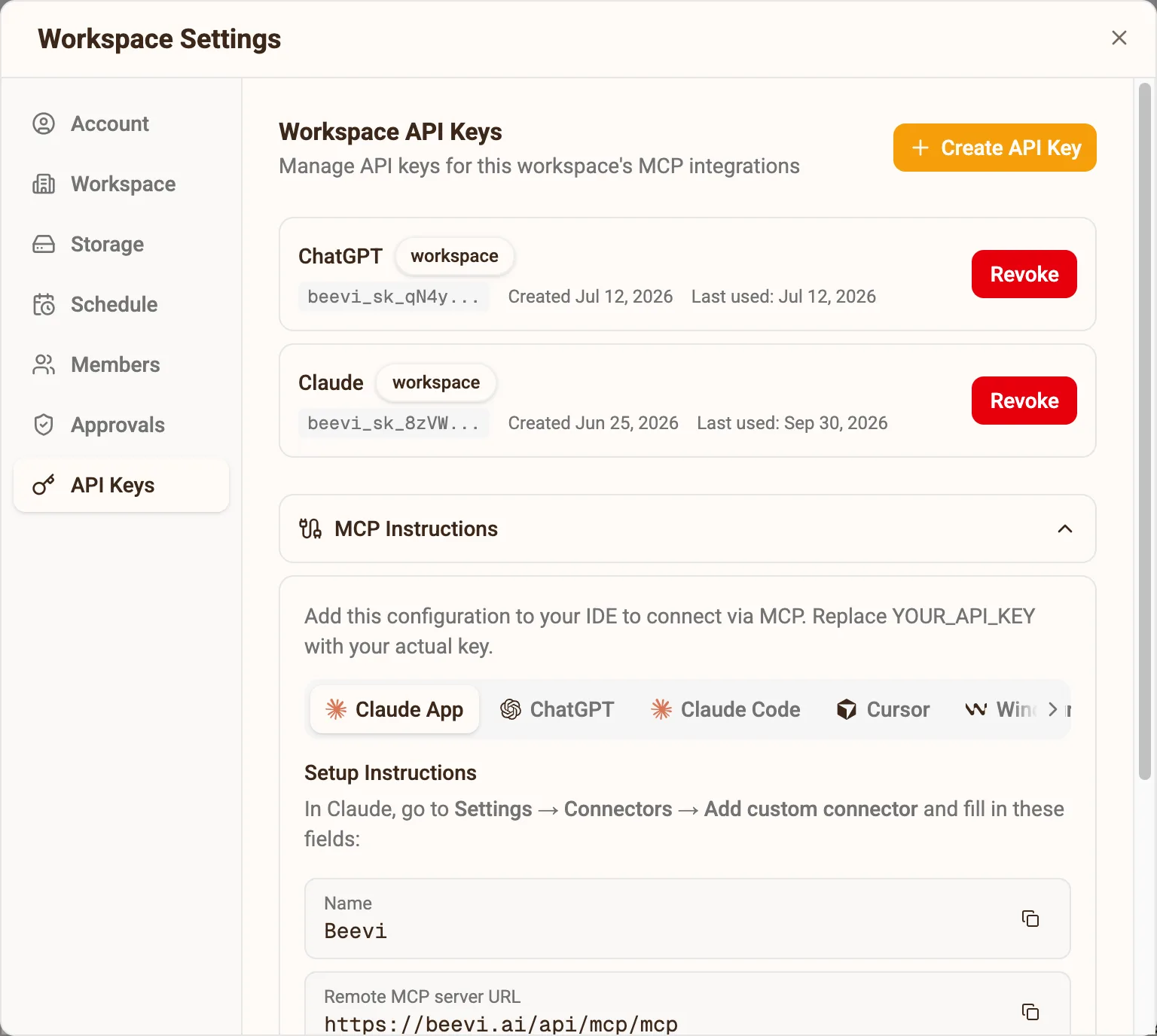
Add Beevi to your AI
Pick your assistant under MCP Instructions. ChatGPT and Claude need only this URL and a Beevi sign-in; for code editors Beevi shows the config with your key filled in.
https://beevi.ai/api/mcp/mcp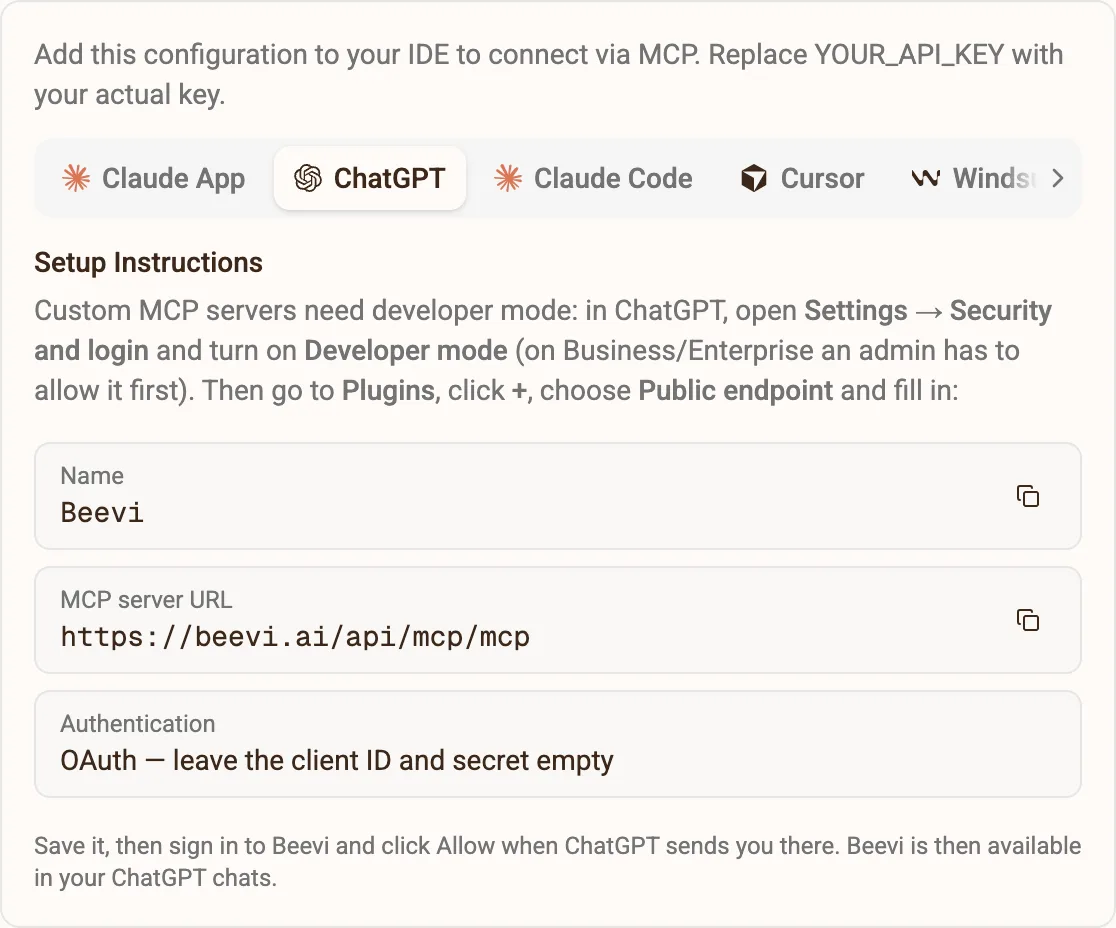
Ask in plain English
“What should we post this week?” “Make a carousel from this article.” “Approve the LinkedIn posts.” Your assistant calls Beevi, and the work lands in your planner as drafts, ready for you to approve.
Setup by assistant
Connect ChatGPT, Claude, Claude Code or Cursor
Beevi shows these exact values under Settings → API Keys → MCP Instructions, with your key already filled in for the code editors.
Web and desktop app
- Open Settings → Security and login and turn on Developer mode.
- Go to Plugins, click +, and name it Beevi.
- Under Connection pick Public endpoint, paste the URL below and choose OAuth. Leave the client ID and secret empty.
- Save it. ChatGPT opens Beevi: sign in and click Allow. No API key needed.
https://beevi.ai/api/mcp/mcpclaude.ai and the desktop app
- Open Settings → Connectors and choose Add custom connector.
- Name it Beevi and paste the server URL below.
- Leave the OAuth client ID and secret empty, click Add, then Connect.
- Claude opens Beevi: sign in and click Allow. No API key needed.
https://beevi.ai/api/mcp/mcpTerminal
- Run this once. Claude Code keeps the server for every session after it.
claude mcp add --transport http beevi https://beevi.ai/api/mcp/mcp \
  --header "Authorization: Bearer YOUR_API_KEY"
~/.cursor/mcp.json
- Add Beevi to your MCP config and reload Cursor.
{
  "mcpServers": {
    "beevi": {
      "headers": {
        "Authorization": "Bearer YOUR_API_KEY"
      },
      "url": "https://beevi.ai/api/mcp/mcp"
    }
  }
}
~/.codeium/windsurf/mcp_config.json
- Same shape as Cursor, with `serverUrl` instead of `url`.
{
  "mcpServers": {
    "beevi": {
      "headers": {
        "Authorization": "Bearer YOUR_API_KEY"
      },
      "serverUrl": "https://beevi.ai/api/mcp/mcp"
    }
  }
}
Using an always-on agent? Set up an OpenAI dot → · Set up Grok Bot →
Straight answers
LinkedIn MCP questions, answered
Does LinkedIn have an official MCP server?
Does Claude have a LinkedIn MCP?
How do I get started with a LinkedIn MCP server?
Can it post to a LinkedIn Company Page?
Can it make LinkedIn carousels?
Can Beevi’s MCP server read LinkedIn profiles or send messages?
Seven days, no card
Give your AI a LinkedIn team
Sign up, connect LinkedIn, and create an API key. Your AI can draft the week before your coffee is cold.