Ecommerce social media marketing works best for small online stores when every post points at a product page and has one clear job: get found, build trust, or close the sale. Pick one or two platforms, post three to five times a week from a fixed mix of post types, and track sales with UTM links and a "how did you hear about us?" question at checkout. That's the whole plan. The rest of this guide shows you how to set it up in an afternoon.
If you'd rather not write the posts yourself, you can create your first posts free with Beevi and edit from there.
The short version 🛒
- Choose one main platform where your buyers already shop, plus one backup. Don't try to be everywhere.
- Map posts to product pages. Each post should answer a question a shopper has before they buy.
- Rotate five post types: product in use, how-to, customer proof, behind the scenes, and offers (about one in five).
- Keep a weekly rhythm of three to five posts you can hold in your busiest month.
- Measure sales, not likes. UTM links, a discount code per platform, and a checkout survey question tell you what works.
If you also run a physical shop, our retail social media strategy covers foot traffic and local posts. This guide is for stores that sell mostly online.
Why online stores need a different plan
A café can post a photo and get a walk-in the same afternoon. An online store can't. Your shopper can't touch the product, smell it, or ask the person at the counter. Social media has to do that job instead.
So the questions your posts answer are different. How big is it really? Does the color match the photo? Will it fit? Is shipping slow? Do real people like it? Every one of those questions is a post idea, and every one of them is something a product page alone struggles to answer.
The other difference is the path to buying. Many shoppers see a store a few times before they buy. That's why a steady rhythm beats one viral post. You want to be the store they remember when they're finally ready.
Step 1: Pick platforms by how your buyers shop
You don't need six channels. You need one you can run well, and maybe a second one where you reuse the same content.
| Platform | Best for | What to post | Watch out for |
|---|---|---|---|
| Fashion, beauty, home, gifts, food | Product-in-use photos, Reels, carousels, Stories with links | Polished-only feeds can feel like ads | |
| TikTok | Products that show well in 15 seconds, younger buyers | Demos, unboxings, "how I use it" clips | Needs frequent short videos |
| Older buyers, local delivery, repeat customers | Offers, reviews, community posts, groups | Organic reach is lower than it was | |
| Home, wedding, recipes, DIY, style | Pins that link straight to product pages | Slow to build, long payoff | |
| YouTube | Products that need explaining | Short demos and longer how-tos | Takes more production time |
| B2B products and wholesale | Founder story, process, customer cases | Not for most consumer shops |
A quick decision rule: if your product looks good in motion, start with Instagram Reels or TikTok. If it solves a problem people search for, add Pinterest or YouTube. If your buyers are repeat customers over 40, keep Facebook in the mix.
Most platforms also let you tag products or link a catalog, for example through Meta's Commerce Manager or TikTok Shop. Set that up once if your store platform supports it. It removes a step between "I like that" and "add to cart."
Step 2: Turn product pages into post ideas
Here's the trick most small stores miss. Your best post ideas are already sitting in your product pages, your customer emails, and your return reasons.
Open your top three products and list:
- The question people ask before buying (size, fit, how it works, how long it lasts).
- The reason people return it, if any. A post that sets the right expectation saves you a refund.
- The moment it shines. Where and when does the customer actually use it?
- The proof you already have: reviews, tagged photos, repeat orders.
Each line is a post. Three products times four lines gives you twelve posts, which is roughly three weeks of content. If you get stuck, our Instagram post ideas generator can give you a starting point.
Step 3: Rotate five post types 📦
A fixed mix stops you from posting "new in stock!" twelve times in a row.
1. Product in use. A real person using the product in a real place. A mug on a messy desk beats a mug on a white background for social, even if the white background is better for your store.
2. How-to and answers. "How to style it three ways." "What size should I get?" "How to clean it." These are the posts people save and share.
3. Customer proof. Reviews, reposted customer photos (ask first), unboxing clips. Our user-generated content guide explains how to ask for them without being awkward.
4. Behind the scenes. Packing orders, sourcing materials, a mistake you fixed. People buy from small stores partly because there's a person behind them. Show that person.
5. Offers and launches. New drops, restocks, bundles, sales. Keep these to about one in five posts so they still feel special. For new products, our product launch post examples give you a ready sequence.
Step 4: A weekly rhythm you can keep
The best schedule is the one you'll still follow in your busiest week. For most small online stores, that means three to five posts a week. (If you're unsure about frequency, here's our take on how often small businesses should post.)

| Day | Post type | Job |
|---|---|---|
| Monday | How-to or answer | Get found, get saved |
| Wednesday | Product in use | Make them want it |
| Thursday (optional) | Offer or launch | Close the sale |
| Friday | Customer proof | Build trust before the weekend |
| Saturday (optional) | Behind the scenes | Make the store feel human |
Batch the work. One hour on Sunday to shoot photos and short clips, one hour to write captions, then schedule the week. If you post Stories, do those live during the week; they don't need to be planned.
A worked example: one week for a small candle shop
This is a made-up example to show the method, not a real customer.
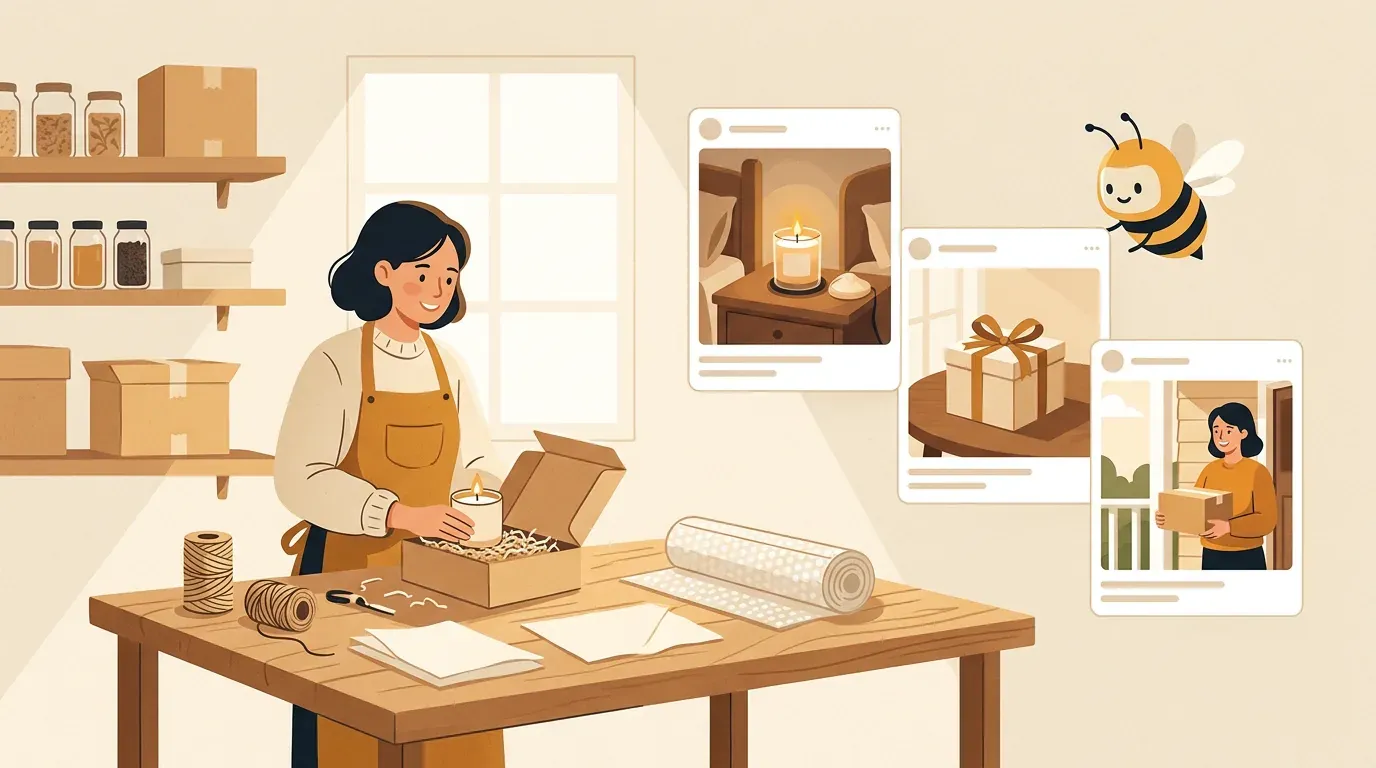
Maya sells hand-poured candles from her website. Her buyers are mostly women 25 to 45 who buy gifts. She picks Instagram as her main platform and reuses Reels on TikTok.
- Monday (how-to): a carousel, "How to make a candle burn evenly: 4 tips." Last slide links to her best-seller.
- Wednesday (product in use): a 12-second Reel of the cedar candle being lit on a rainy evening. Caption asks, "Which scent is your winter one?"
- Friday (customer proof): a reposted customer photo of a gift box, with permission and a thank-you tag.
- Saturday (behind the scenes): a Story of her pouring the next batch, with a poll on which scent to restock.
- Thursday (offer): "Gift sets ship by December 18 for Christmas delivery," with a link tagged
utm_source=instagram.
That's five posts, about two hours of work, and every one of them points at a product or answers a buying question.
Plan Cyber Week and the holidays now 🎁
If you're reading this in November, the biggest selling week of the year is close. In 2026, Black Friday is November 27, Small Business Saturday is November 28, and Cyber Monday is November 30.
A simple plan:
- One week before: tease what's coming. Ask followers which product they want on sale.
- Black Friday to Cyber Monday: one clear offer post a day, plus Stories. Pin the offer post to your profile.
- Early December: shift to gift guides and shipping cutoff dates. "Order by X to get it by Christmas" is one of the most useful posts an online store can make.
- Late December: gift cards and "last-minute" digital options.
Our Black Friday post ideas and the free social media holiday calendar can help you fill the dates.
How to measure what actually sells
Likes are nice. Orders pay rent. Three cheap ways to connect posts to sales:
- UTM links. Add
utm_sourceandutm_campaignto every link you post, so your store analytics shows which platform sent the order. Google's Campaign URL Builder makes them in seconds. - A discount code per platform. For example, one code for Instagram and another for TikTok. It's not perfect, but it's clear.
- A checkout question. "How did you hear about us?" catches the buyer who saw five posts and then typed your URL directly. Link clicks miss that person.
Check once a month, not once a day. Look for which post types lead to clicks and orders, then make more of those.
Common mistakes small online stores make
- Only posting product photos on white backgrounds. Those belong on the product page. Social needs context.
- Every post is a sale. People tune out. Stick to roughly one offer in five.
- Going quiet in busy months. Schedule ahead so your feed isn't empty in December, when buyers are looking hardest.
- Linking to the homepage. Link to the exact product or collection the post is about.
- Chasing every platform. One channel done well beats four done badly.
Where Beevi fits
Writing three to five captions a week sounds small until it's 10pm and you're still packing orders. Beevi is an AI social media manager that learns your store, your products and your voice, then plans, writes and designs a week of posts for you. It can keep your products recognizable across posts, so your best-seller looks like your best-seller, not a stock photo.
Nothing goes out without your approval, on any plan. You review the week on a calendar, change what you want, and Beevi schedules it to Instagram, Facebook, TikTok, LinkedIn, X and YouTube. You can connect one account per platform in each workspace. (Beevi doesn't post to Pinterest, so keep that one manual if it matters for your store.)
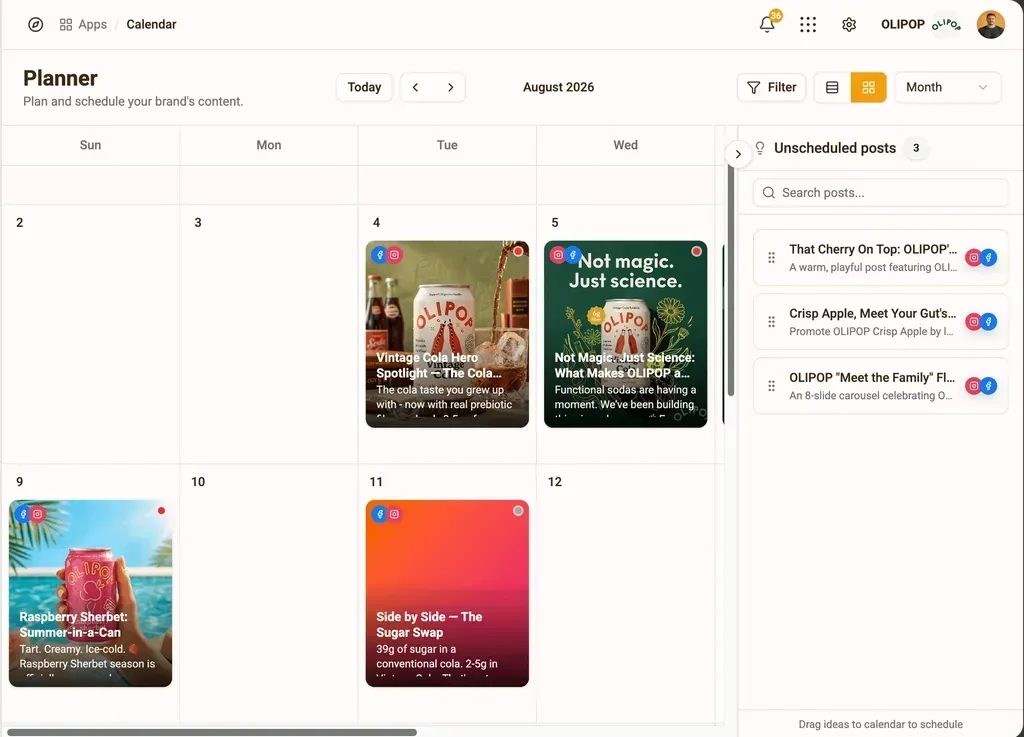
We estimate it gives back 5 to 10 hours a week (our own founder estimate, not a study). If a partner or freelancer should review posts too, shareable review links and approval chains are on the Team and Agency plans; see pricing for details.
Want to see a week of posts for your store? Create your first posts free.
Your next step
Open your three best-selling product pages and write down the four lines from Step 2 for each. That's three weeks of posts before you've opened any app.
When you're ready to hand off the writing, create your first posts free and let Beevi draft your first week while you run the store.