How to create a social media campaign with AI, from idea to dated posts
3 min video6 steps

One idea. A whole campaign.
With Chloe from Beevi
Click here to see the guided written step by step
How to do it, step by step
A campaign is a themed run of posts over a few weeks. Here is how to plan one in Beevi, from the first idea to posts with dates.
1Start a new campaign
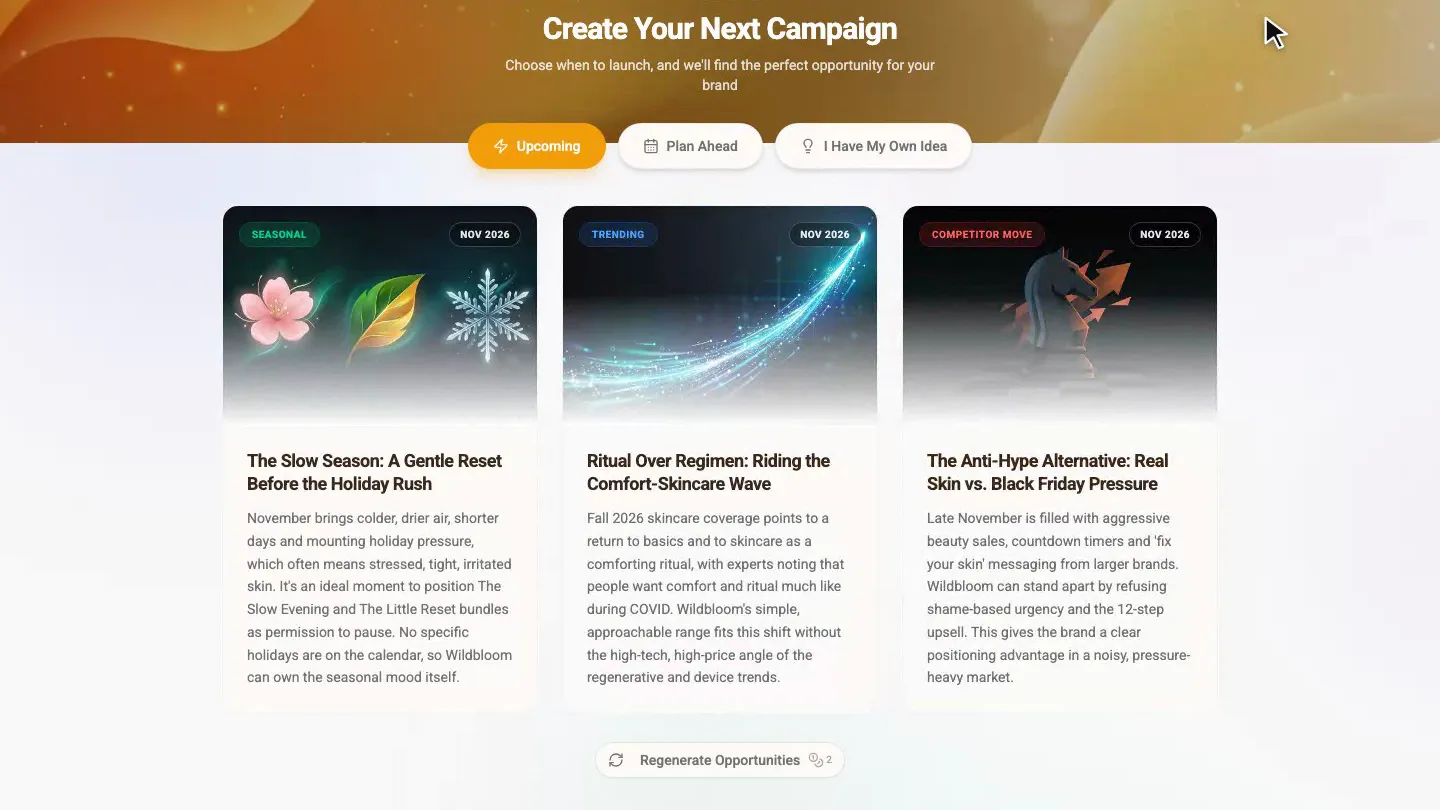
Open Campaigns and click New campaign. Choose Upcoming for ideas for this month, or Plan Ahead to pick a later month.
2Pick an opportunity
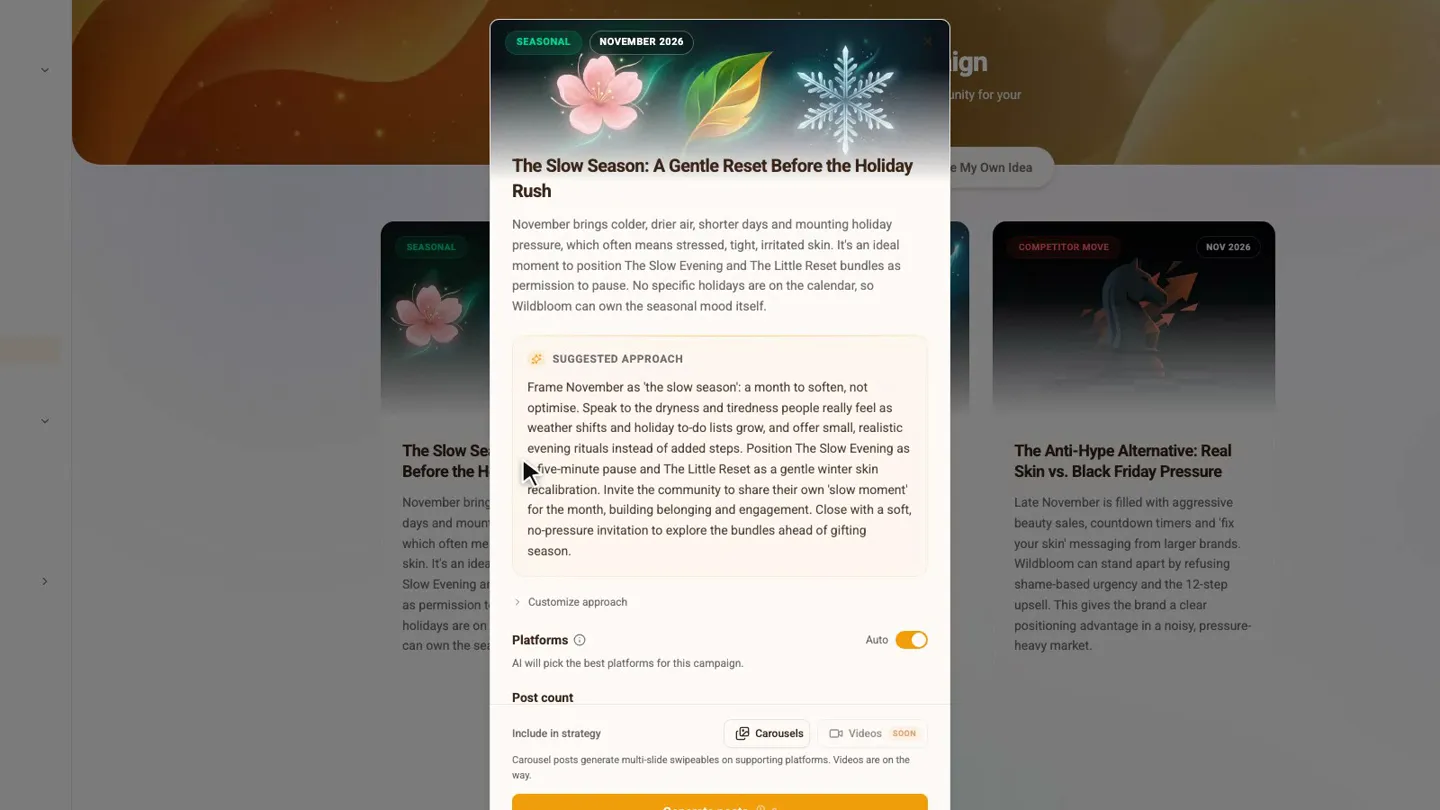
Beevi suggests campaign ideas for your brand, each tagged Seasonal, Trending or Competitor Move. Click one to read its suggested approach. Have your own idea? Choose I Have My Own Idea and describe it.
3Set platforms and post count
Add your own thoughts under Customize approach if you like. Choose the Platforms or leave them on Auto, then set how many posts under Post count.
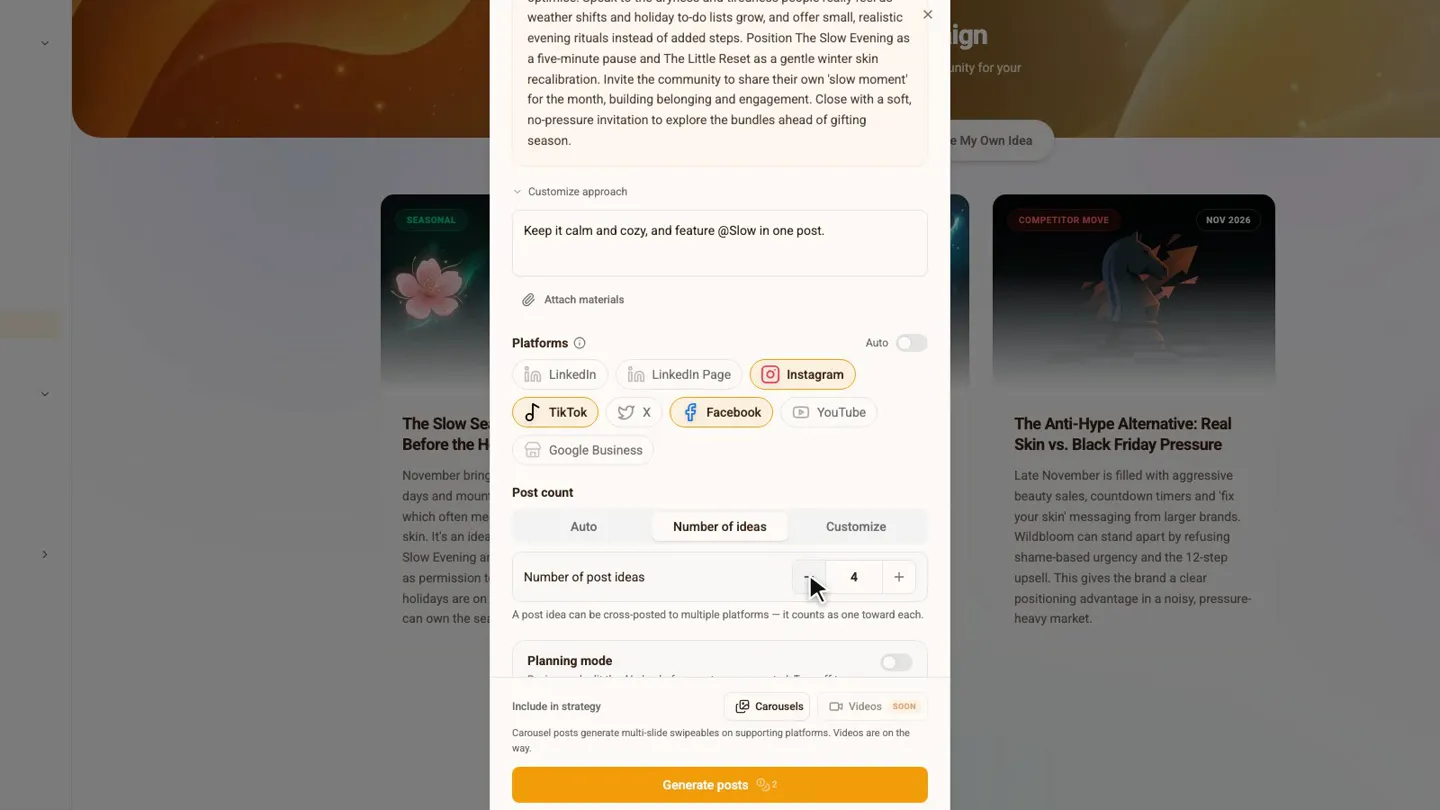
Tip: Type @ in your notes to feature one of your products in the campaign.
4Review the strategy
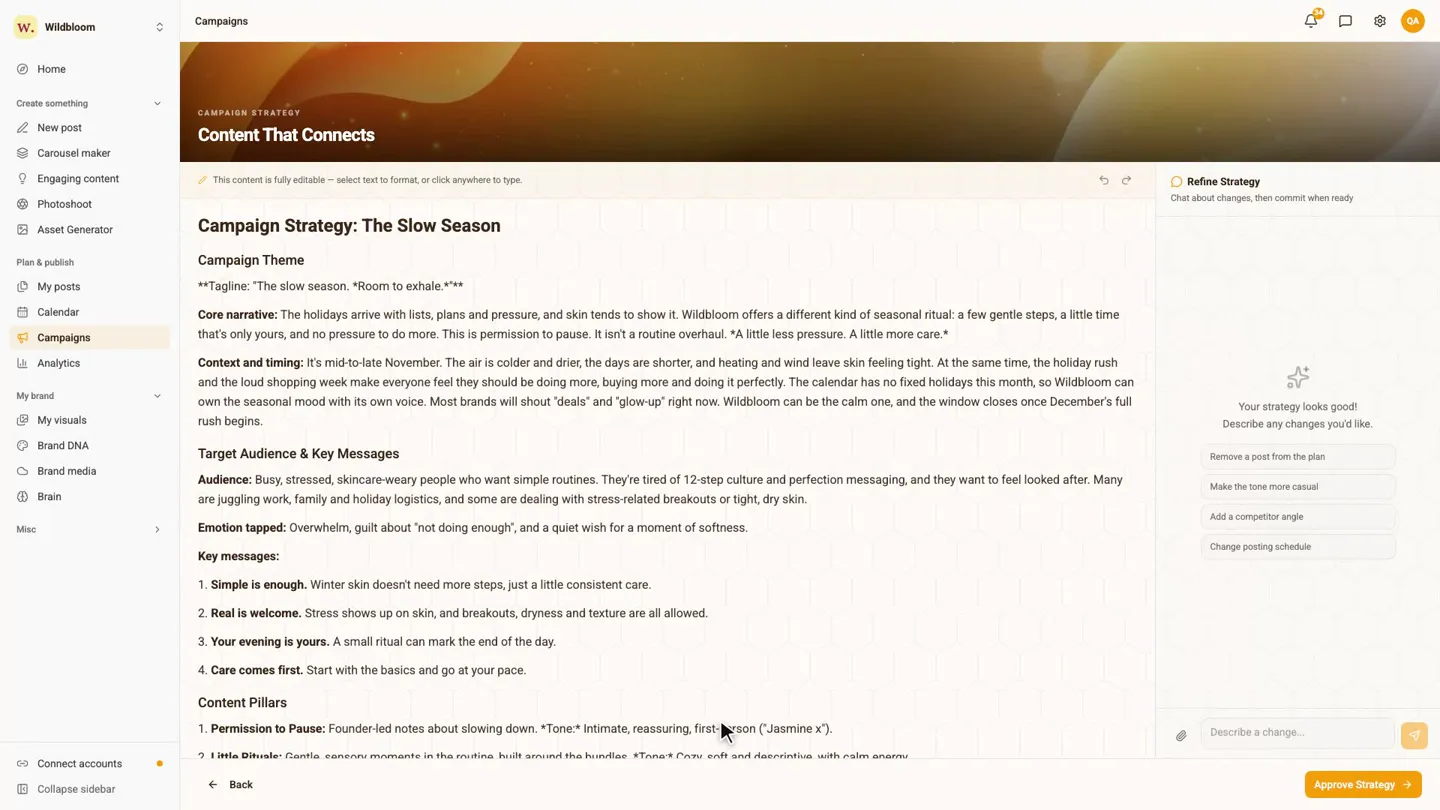
Turn on Planning mode and click Continue to planning. Edit the strategy directly, or ask for changes in Refine Strategy, then click Approve Strategy. With Planning mode off, Beevi goes straight to the posts.
5Generate the posts
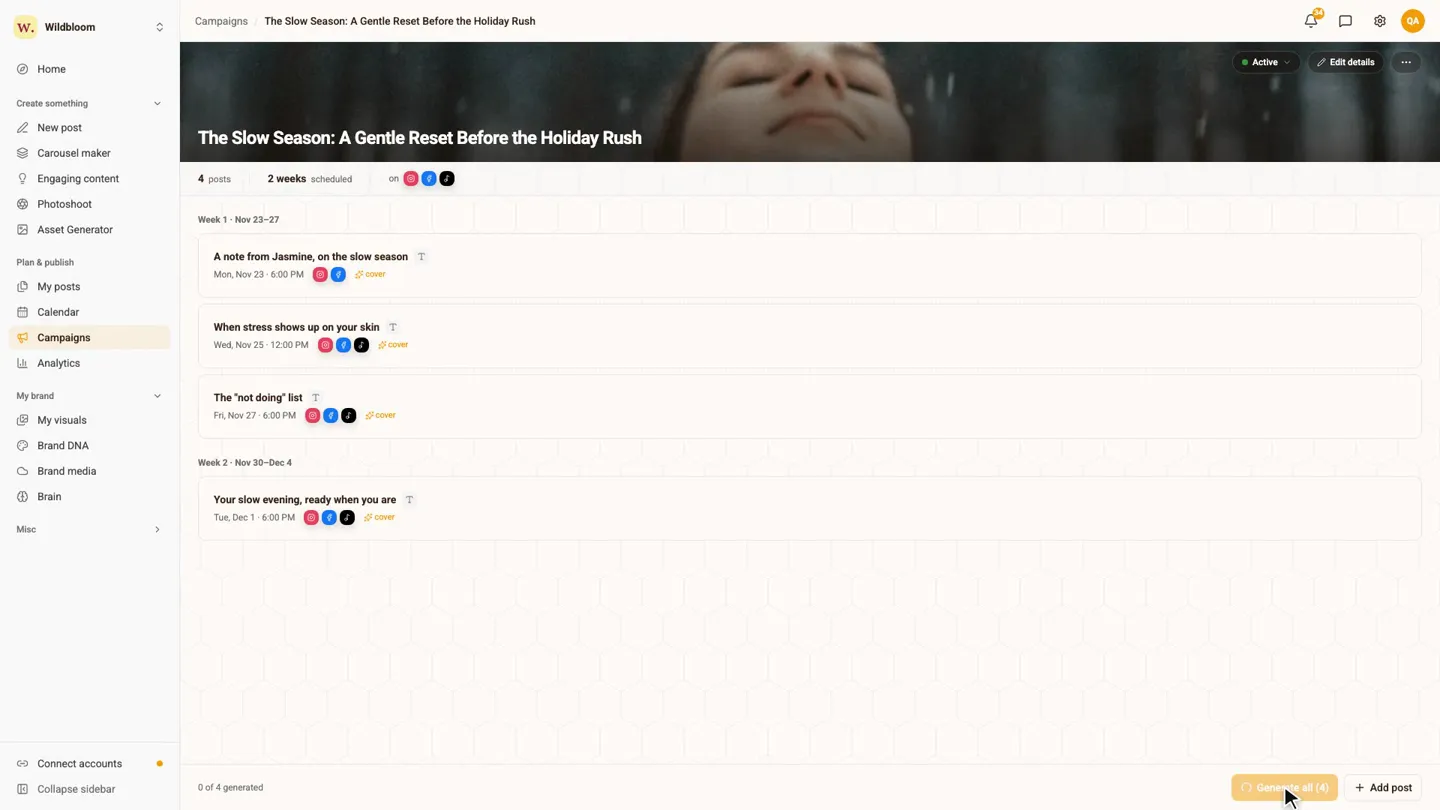
Beevi lays the posts out week by week, each with a date. Edit or remove any of them, use Add post for more, then click Generate all to write the captions and make the covers.
6Review before they go out
Open any generated post to edit its caption, cover or date. To hold everything, set the campaign to Paused. Its scheduled posts won't publish until you resume it.
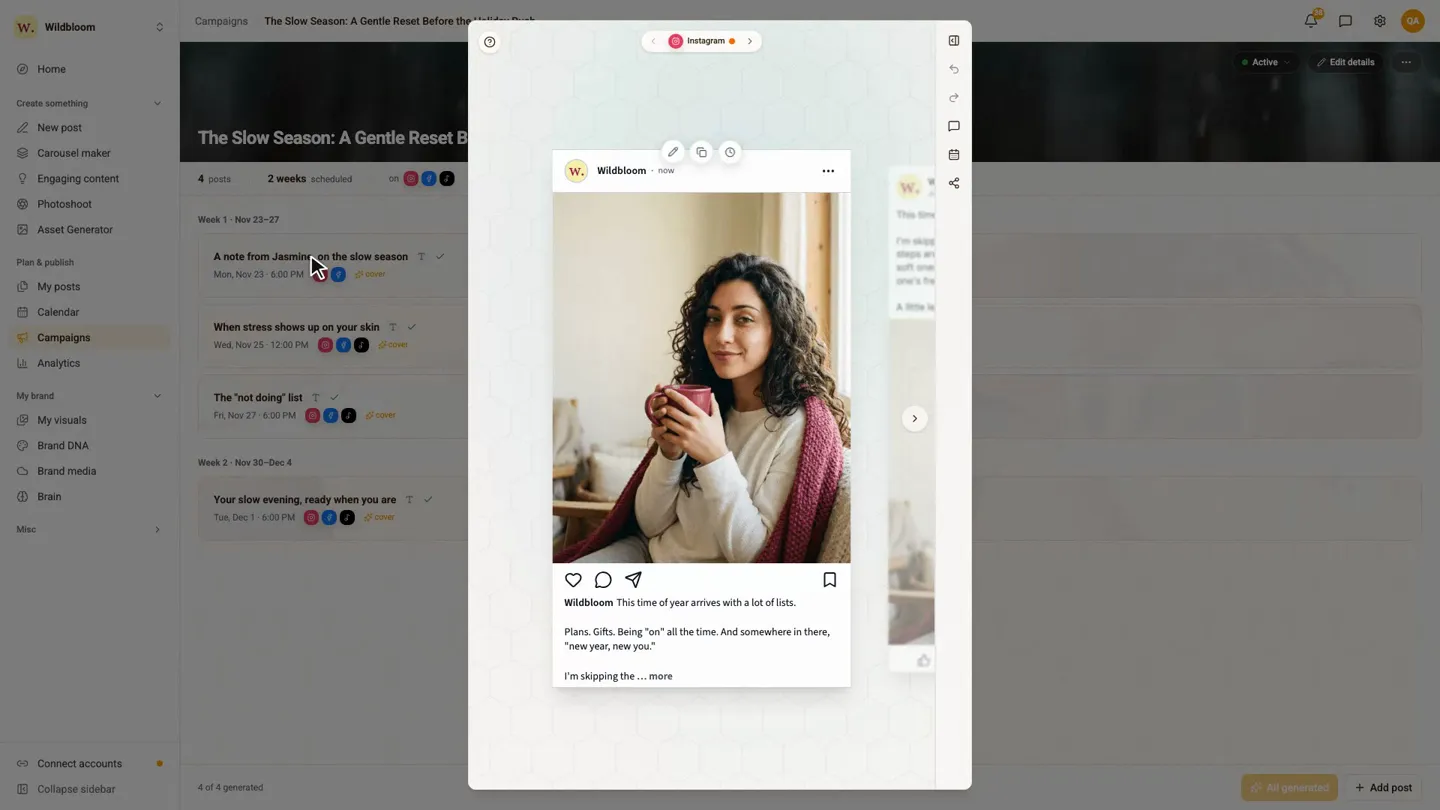
Tip: Each post waits for your OK before it goes out, so nothing posts by surprise.
Questions
How do I create a social media campaign with Beevi?
Open Campaigns, click New campaign, pick one of Beevi's ideas or your own, choose platforms and how many posts, then generate. Turn on Planning mode to review the strategy first.
What kinds of posts can a campaign include?
Text posts with a cover image, plus carousels if you turn on Carousels before you start. Videos are not part of campaigns yet.
Do campaign posts go out on their own?
Once you generate them, each post is set for its planned date. Before then you can edit, move or remove any post, or pause the campaign. And each post waits for your OK before it publishes.
More guides
- ▶ 2:23

Remix a post that already works
How to make engaging social media posts from formats that already work
Your own version of a proven post format
Video + written steps · 7 steps
- ▶ 2:17
Approve a week of posts
How to build a social media content plan that follows the trends
A week of posts, ready for your yes or no
Video + written steps · 5 steps
- ▶ 2:19

Create a post from an idea
How to create a social media post from one idea, with AI
A post for each platform, from one sentence
Video + written steps · 7 steps
- ▶ 2:20

Run an AI product photoshoot
How to do AI product photography with your real products
A set of product photos in a few minutes
Video + written steps · 5 steps
- ▶ 1:54

Schedule your posts
How to schedule social media posts to multiple platforms at once
A month of posts on every platform, scheduled
Video + written steps · 6 steps
- ▶ 2:05

Improve a post's cover
How to design social media posts that look right, with AI
A cover you like, on every platform
Video + written steps · 6 steps