How to design social media posts that look right, with AI
2 min video6 steps

Good cover. Great cover.
With Chloe from Beevi
Click here to see the guided written step by step
How to do it, step by step
The cover is the image people see first. Here is how to get it right in Beevi, no design skills needed.
1Open the cover editor
Open a post from My posts and click its cover image. The cover editor opens on that platform's cover.
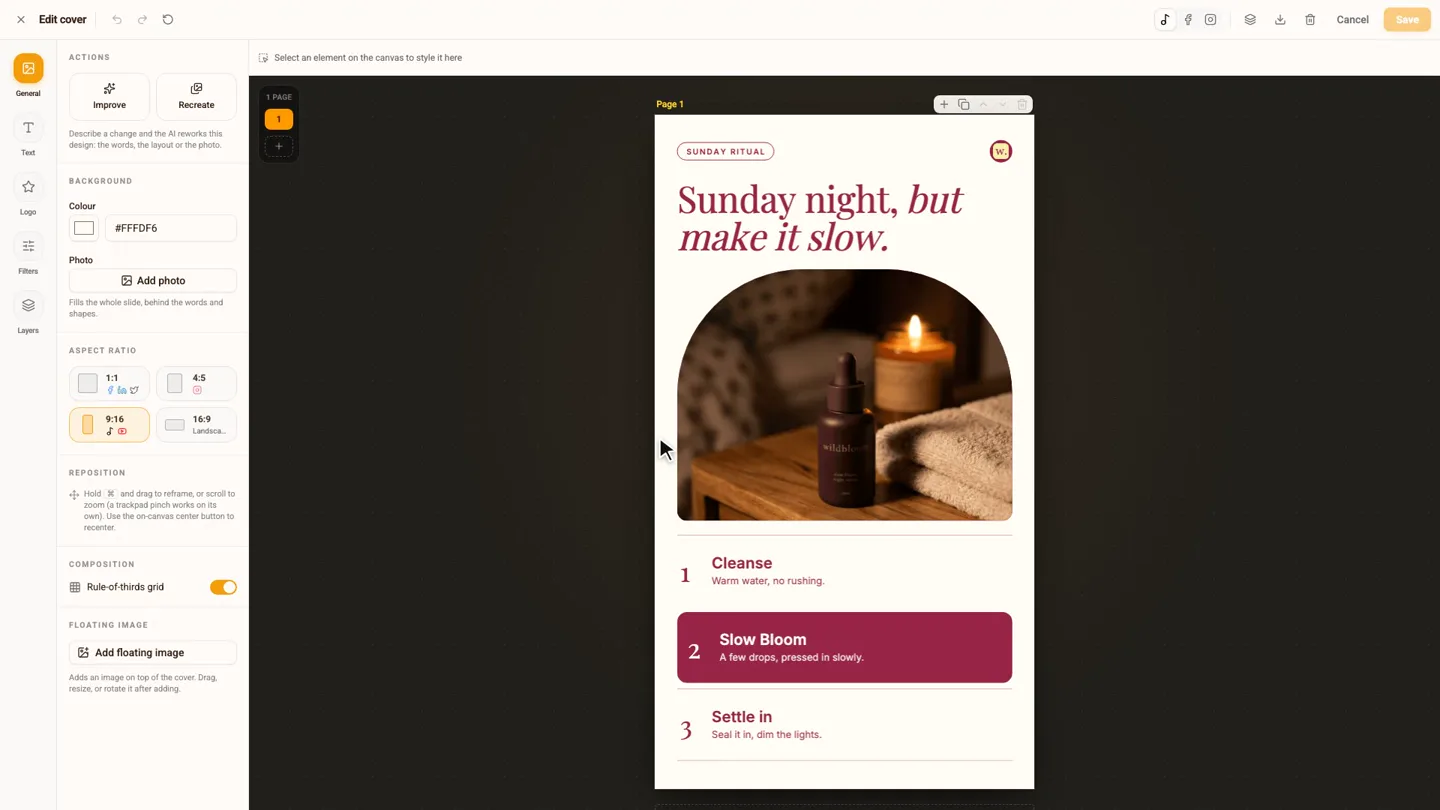
Tip: Prefer your own photo? In the post editor, use Change cover to pick one from your assets or Google Drive.
2Improve it with AI
Click Improve, describe the change, like “make it horizontal” or “dark theme”, and click Improve again. You can point at a spot on the cover to show where.
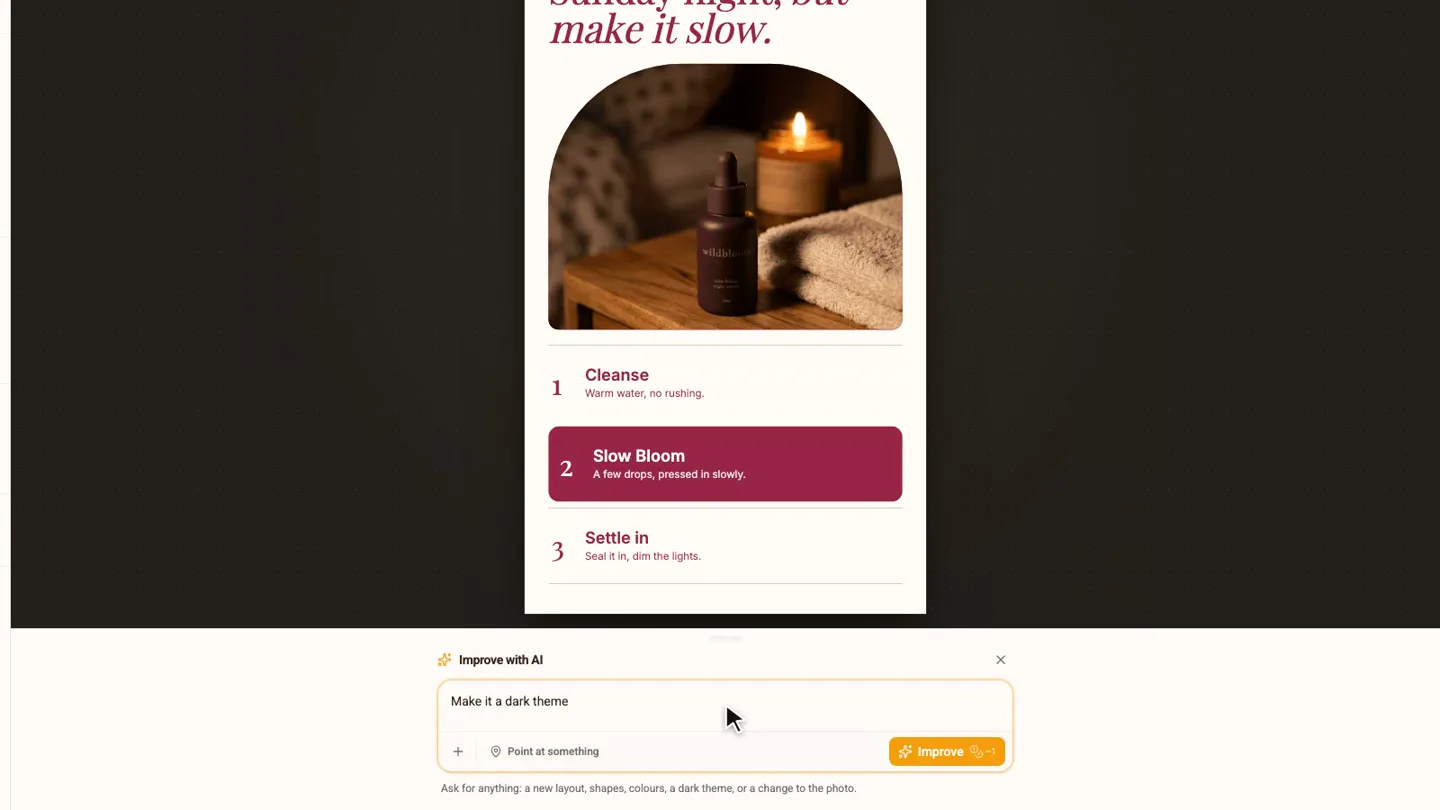
Tip: Undo works on AI changes too, so you can try an idea and step back if you don't like it.
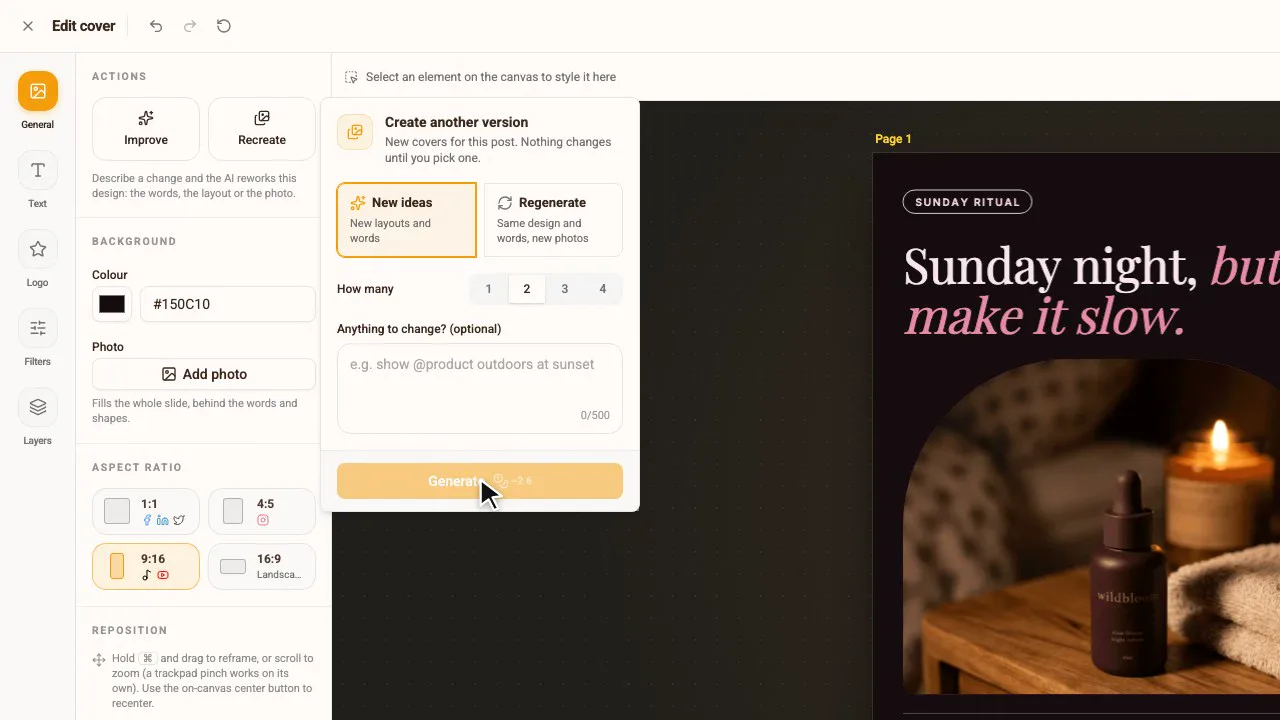
3Create another version
Click Recreate. Choose New ideas for a fresh take, or Regenerate to keep the idea and get new pictures. Set how many, add a note if you like, and click Generate.
4Pick the one you like
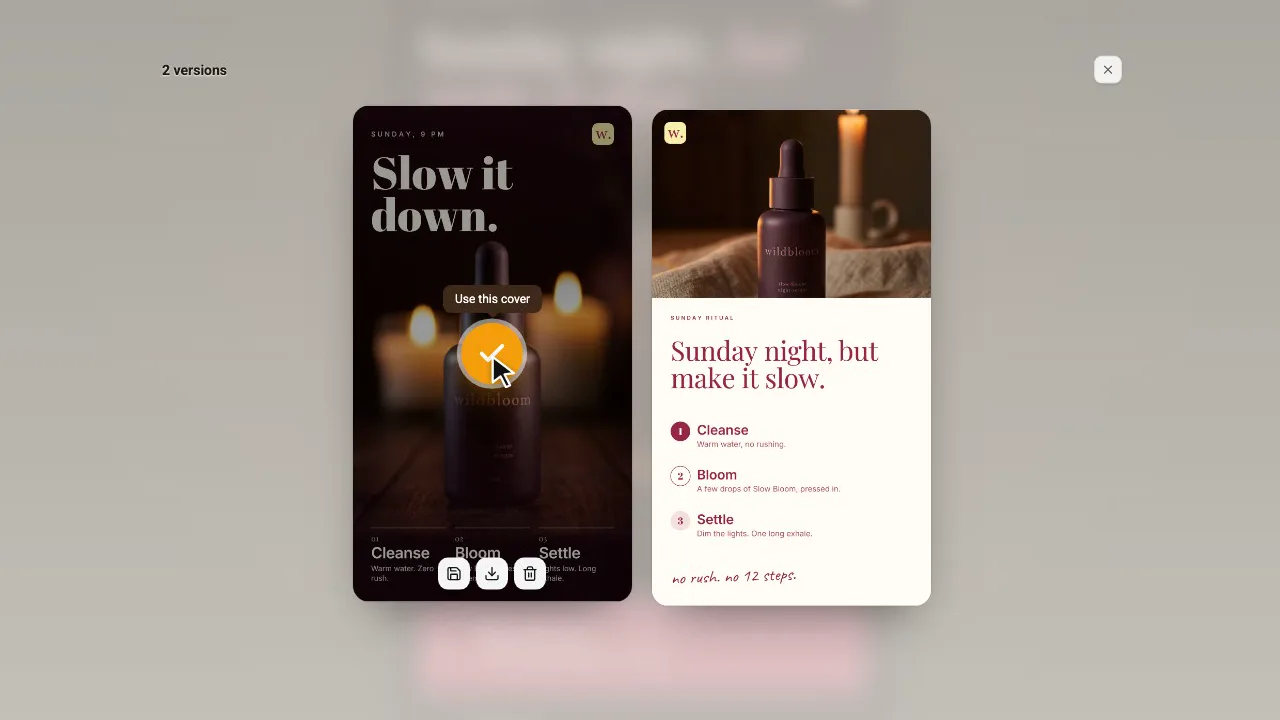
The new versions appear as tiles. Click Use this cover on the one you like. Nothing on your post changes until you pick one.
5Edit the words by hand
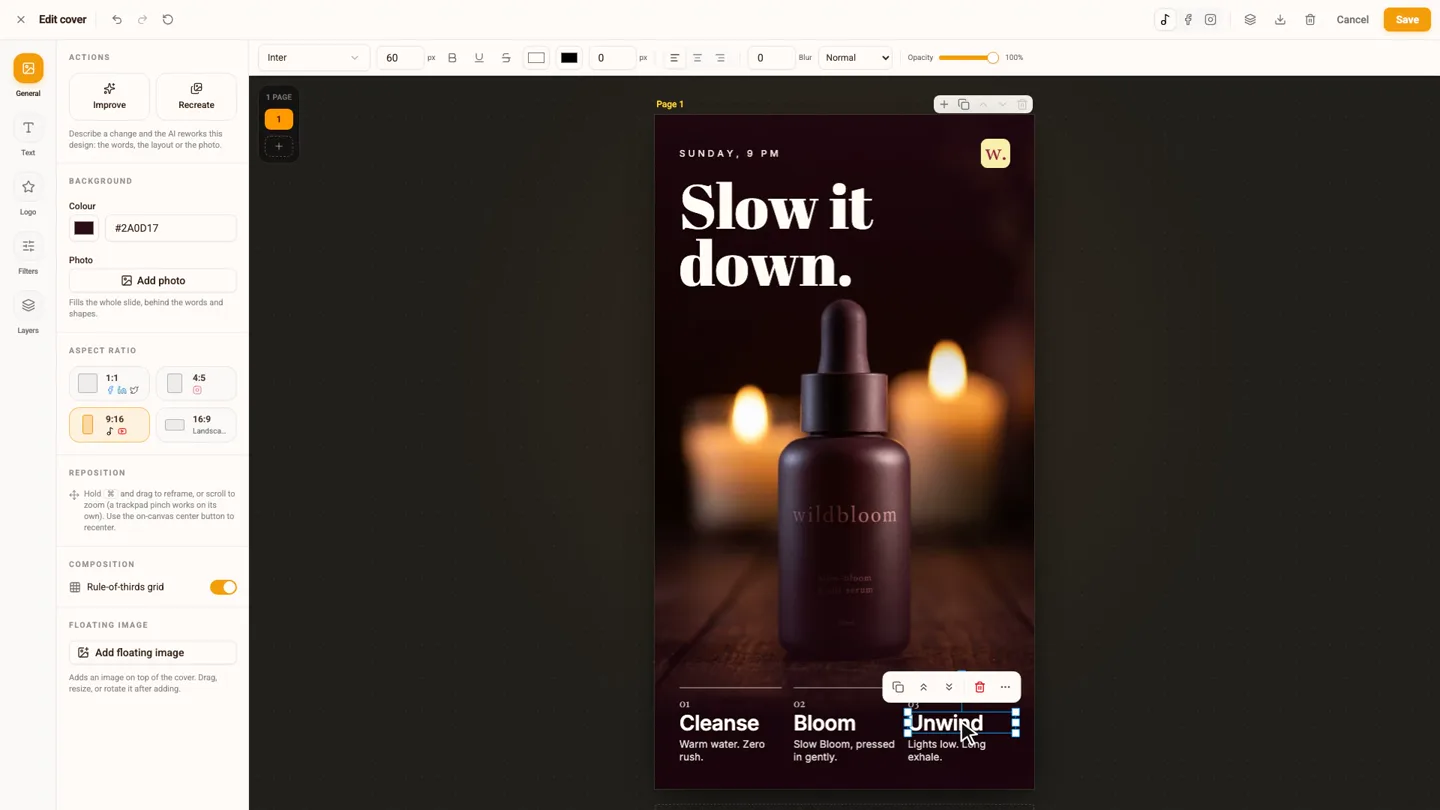
On a designed cover, double-click any text to change the words. Select it to change the size, color or alignment, or open Text to add a new line. Open Logo to show, hide or move your logo.
6Save it to every platform
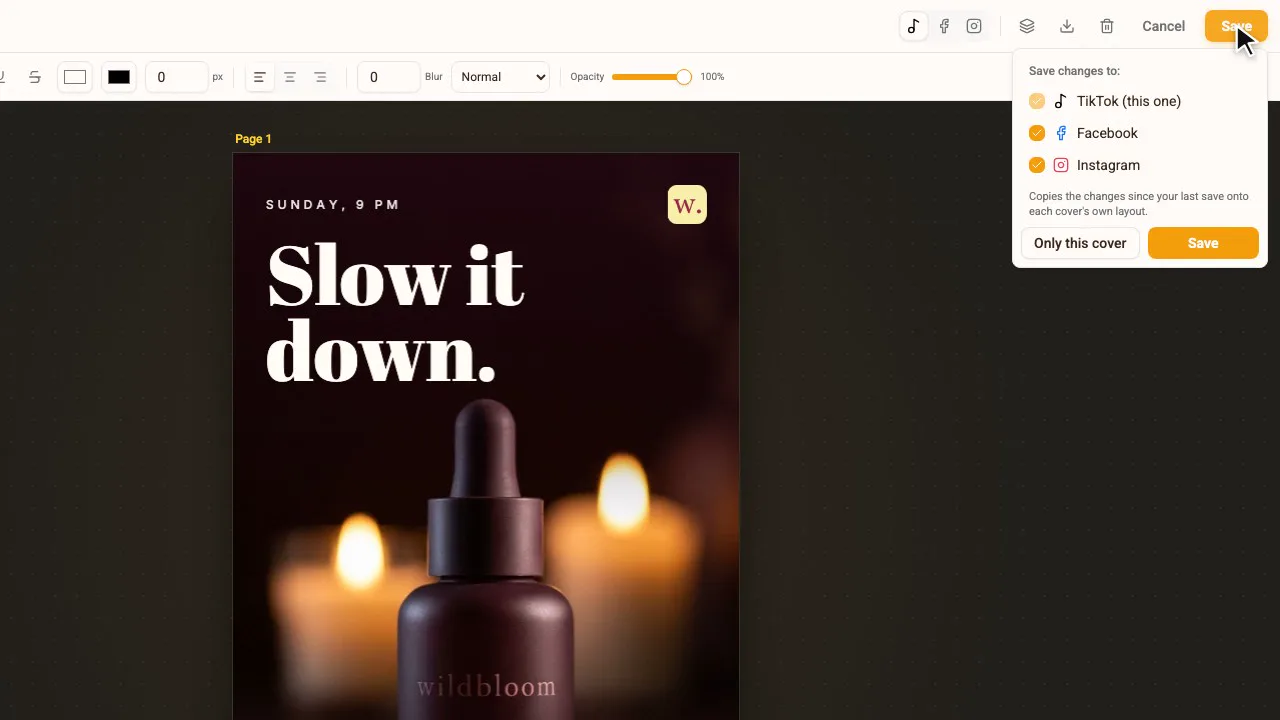
Click Save. If the post goes to more than one platform, tick the ones that should get the change under Save changes to: and Beevi fits it to each platform's shape.
Questions
How do I design social media posts in Beevi?
Beevi designs a cover when it makes a post. Open the post, click the cover, and use Improve, Recreate or the Text tool until it looks right, then save it.
What is the difference between Designed layout and In the image?
You choose under AI cover when you create a post. Designed layout builds the cover from a photo, text and shapes you can edit piece by piece, while In the image paints the words into the picture, so changing them means making a new cover.
Will the covers match my brand?
Beevi designs covers with the colors, fonts and logo from your brand profile, and you can change any of them in the cover editor.
More guides
- ▶ 2:23

Remix a post that already works
How to make engaging social media posts from formats that already work
Your own version of a proven post format
Video + written steps · 7 steps
- ▶ 2:17

Approve a week of posts
How to build a social media content plan that follows the trends
A week of posts, ready for your yes or no
Video + written steps · 5 steps
- ▶ 2:19

Create a post from an idea
How to create a social media post from one idea, with AI
A post for each platform, from one sentence
Video + written steps · 7 steps
- ▶ 2:20
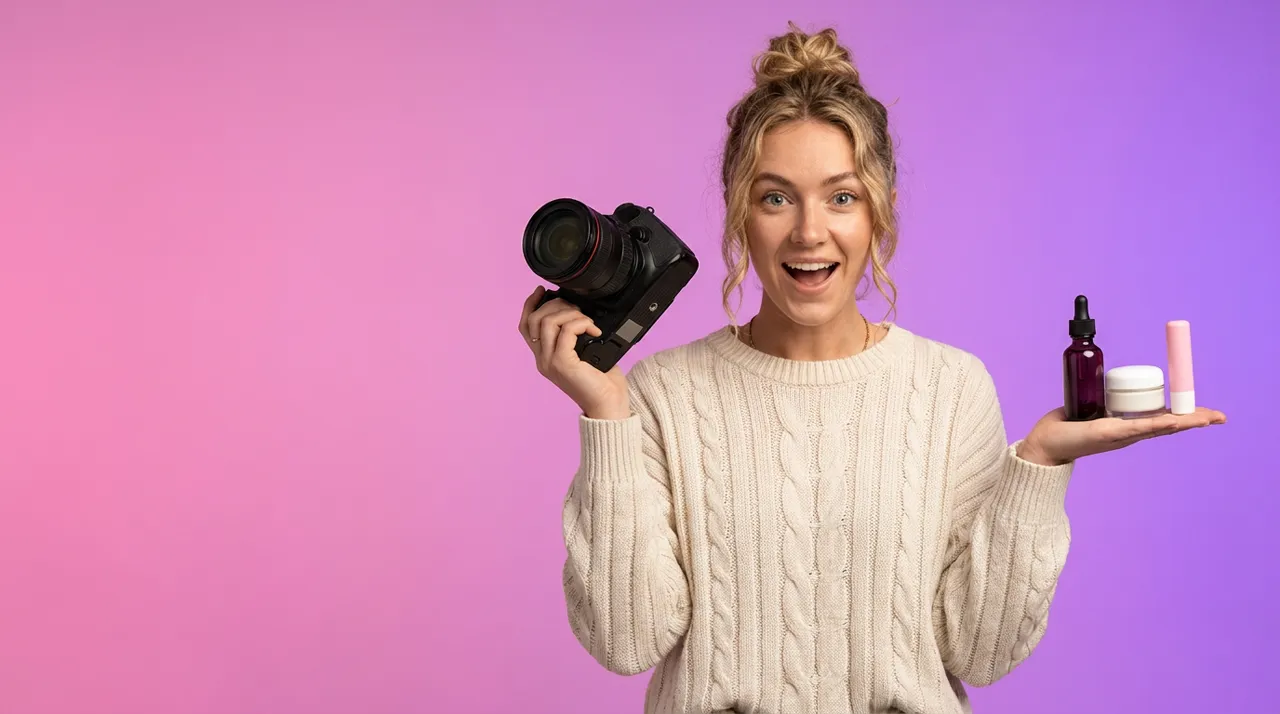
Run an AI product photoshoot
How to do AI product photography with your real products
A set of product photos in a few minutes
Video + written steps · 5 steps
- ▶ 2:39

Plan a campaign
How to create a social media campaign with AI, from idea to dated posts
A strategy and a run of dated posts, ready to edit
Video + written steps · 6 steps
- ▶ 1:54

Schedule your posts
How to schedule social media posts to multiple platforms at once
A month of posts on every platform, scheduled
Video + written steps · 6 steps