How to schedule social media posts to multiple platforms at once
2 min video6 steps

A month of posts in 5 minutes
With Chloe from Beevi
Click here to see the guided written step by step
How to do it, step by step
Your posts are ready and you want them on a schedule. Here is how to plan a whole month on the calendar, with one post going to all its platforms at once.
1Open the Calendar
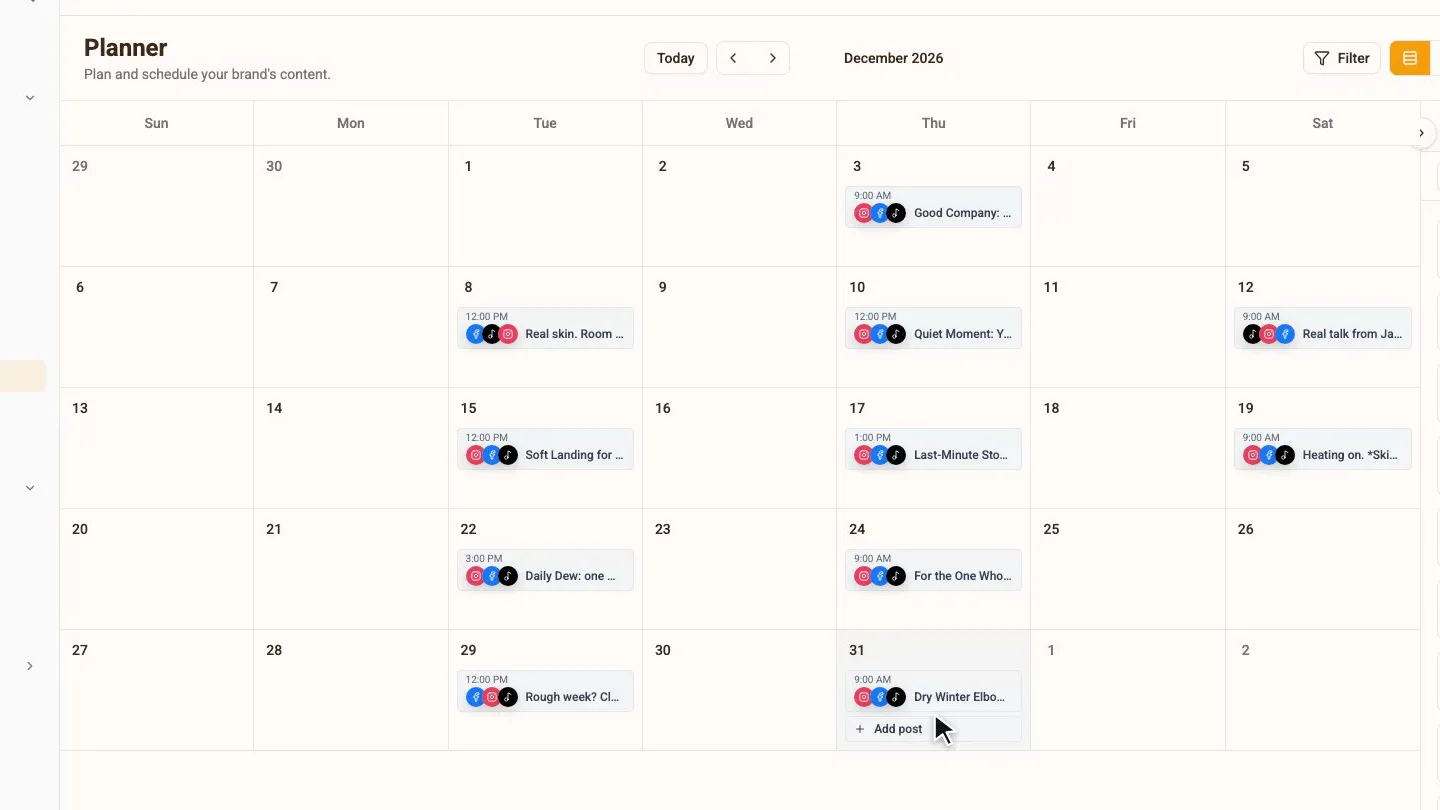
In the menu on the left, under Plan & publish, click Calendar. It opens on this month. Use the arrows next to Today to move to the month you want to plan.
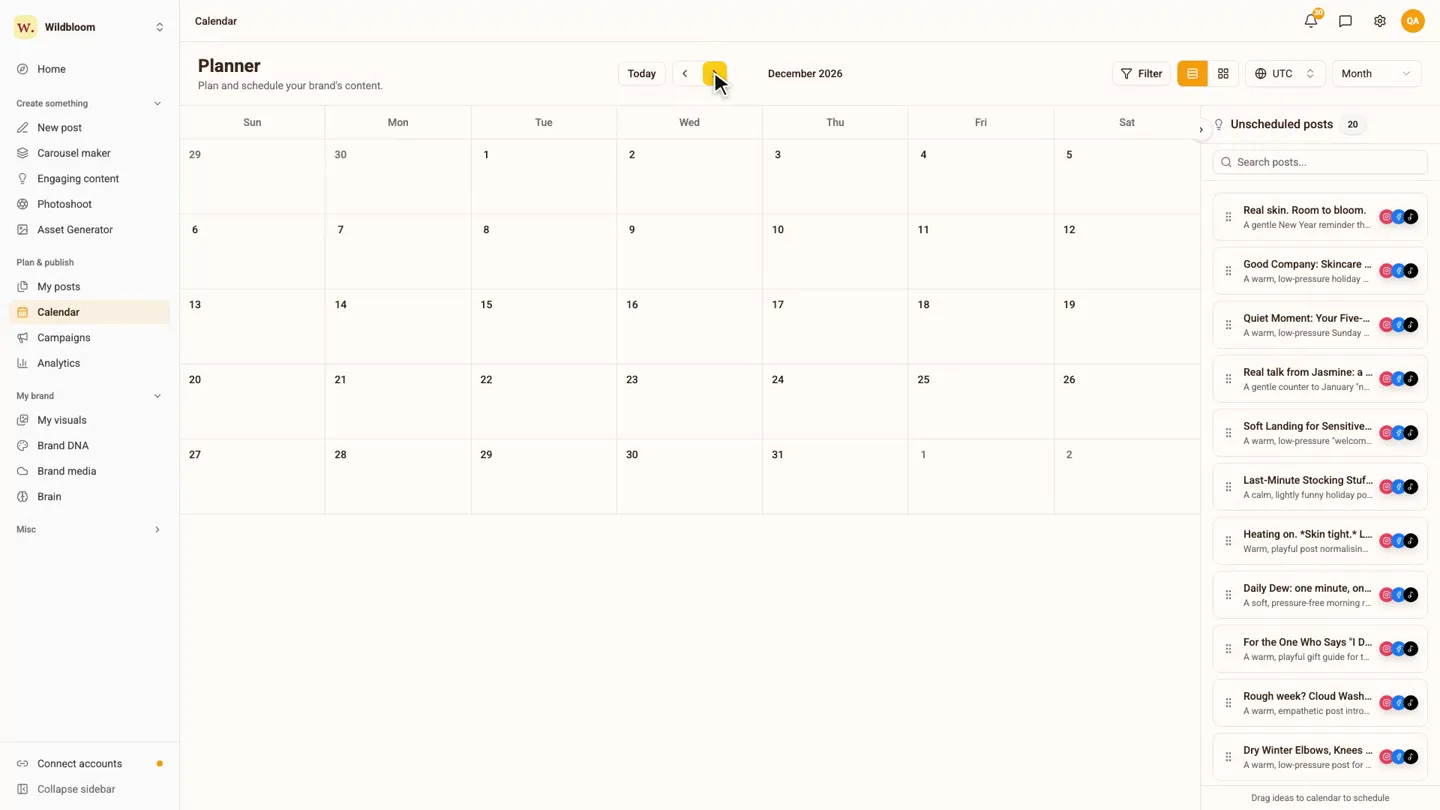
Tip: Want a closer look? Switch Month to Week or Day at the top right.
2Find posts that are ready
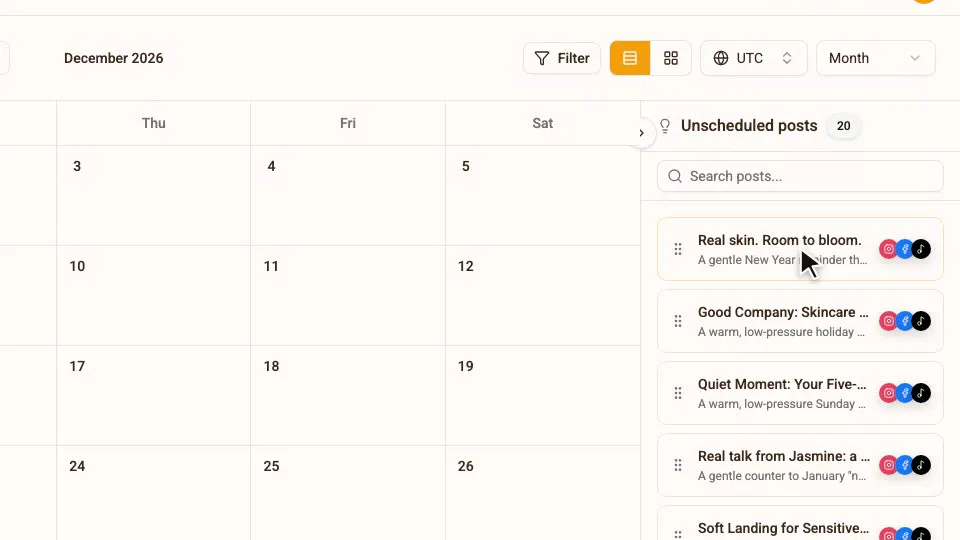
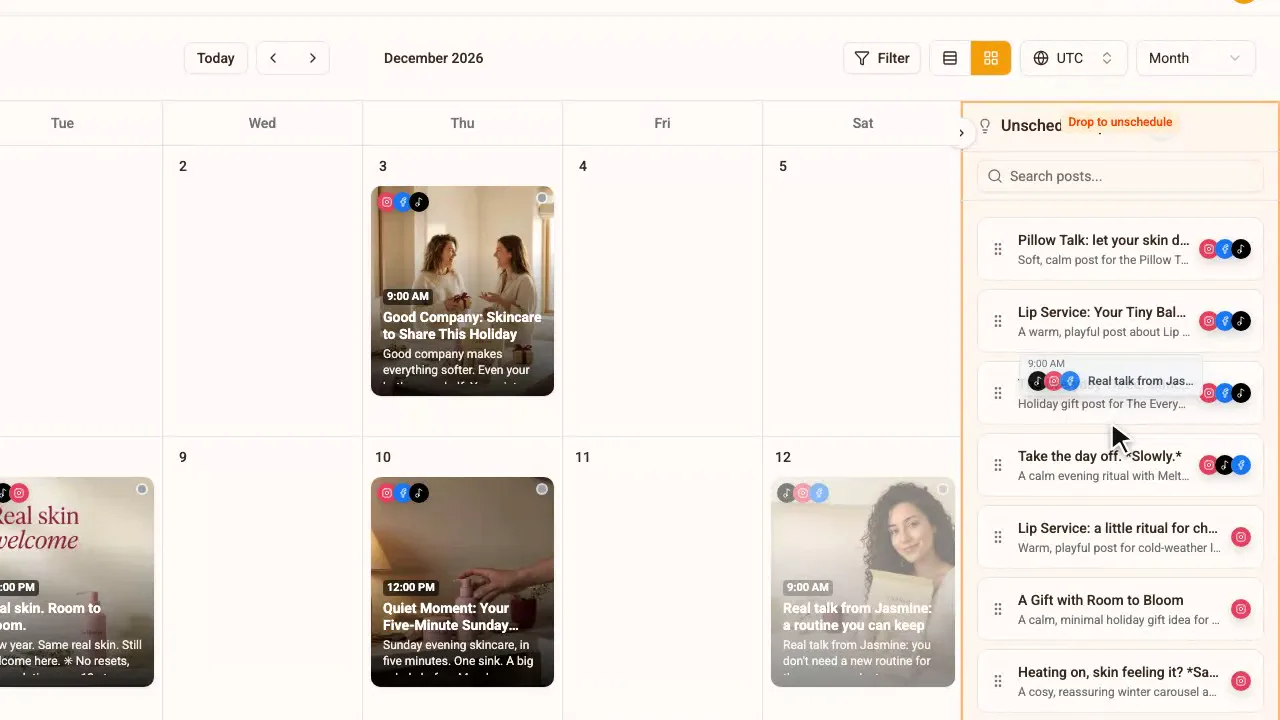
On the right, Unscheduled posts lists every post that is ready but has no date yet. The small logos show which platforms each one goes to. Type in Search posts... to find one by its words.
3Drag a post onto a day
Grab a post by the handle on its left and drop it on a day. Beevi opens Pick a time with the best times to post that day. Click one, or choose Other time… to set your own. The post is scheduled for all its platforms at once.
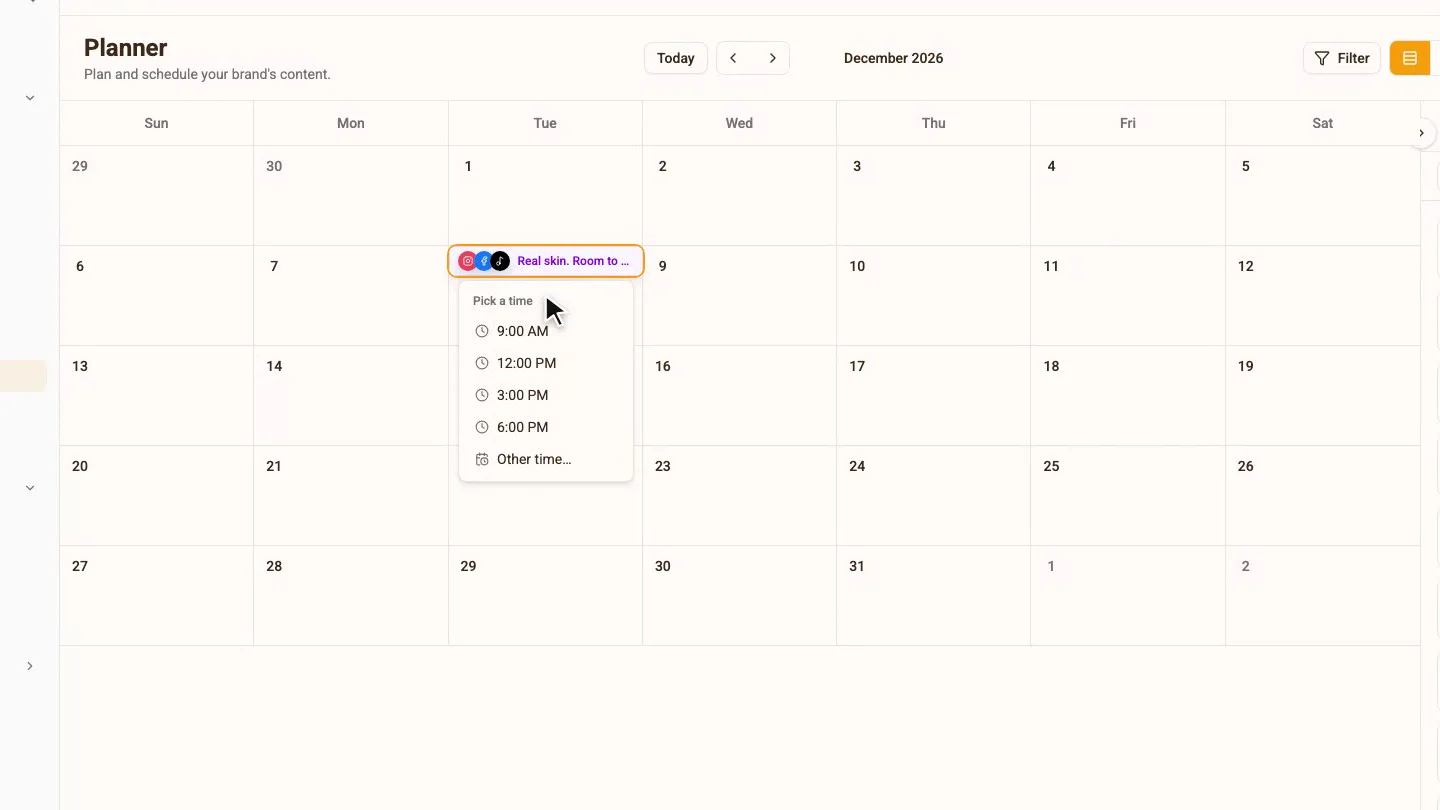
Tip: In Week or Day view, drop the post on an hour to schedule it right there.
4Fill your month
Keep dragging posts onto the days you want to post, and pick a time for each one. A few posts a week keeps your brand active on every platform. The count next to Unscheduled posts goes down as you go.
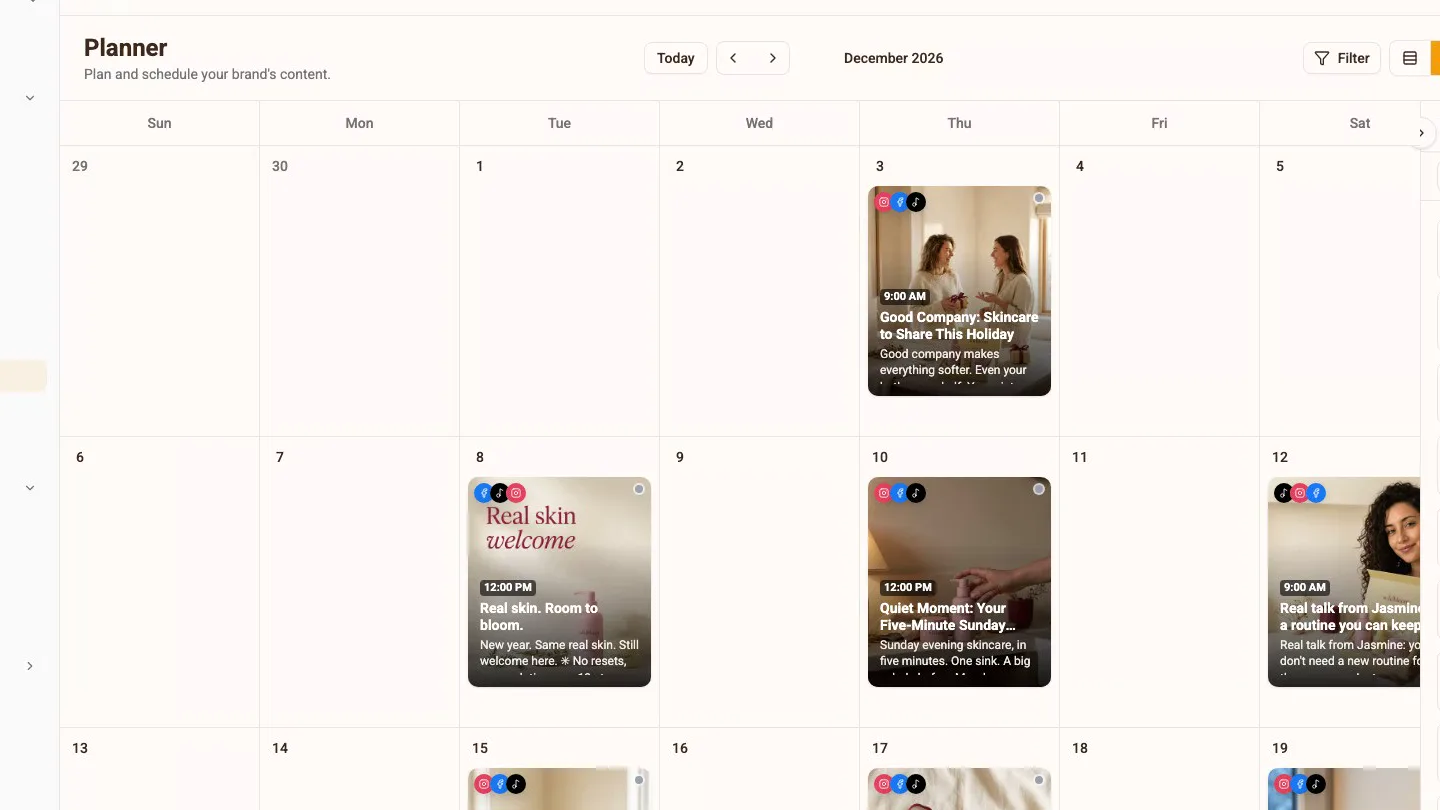
5See your covers in Card view
At the top, switch from Compact list to Card view. Every post on the calendar now shows its cover, its time and its platforms, so you can see how your month looks before it goes out.
6Move or unschedule a post
To reschedule, drag a post to another day and pick a time. To unschedule it, drag it back onto Unscheduled posts. Click any post to open it: a scheduled post waits for your approval, and you approve it with Slide to approve all platforms.
Questions
How do I schedule social media posts to multiple platforms at once?
Open the Calendar, drag a ready post from Unscheduled posts onto a day and pick a time. Beevi schedules it for every platform that post was made for, like Instagram, Facebook and TikTok, in one go.
What is the best time to post?
It depends on your audience and your posting schedule. When you drop a post on a day, Beevi suggests the best times for that day, and you can always choose Other time… to set your own.
Do I need to connect my accounts before scheduling?
No. You can plan your whole month first. Beevi reminds you to connect each account, and nothing goes out until it is connected and you approve the post.
More guides
- ▶ 2:23

Remix a post that already works
How to make engaging social media posts from formats that already work
Your own version of a proven post format
Video + written steps · 7 steps
- ▶ 2:17
Approve a week of posts
How to build a social media content plan that follows the trends
A week of posts, ready for your yes or no
Video + written steps · 5 steps
- ▶ 2:19

Create a post from an idea
How to create a social media post from one idea, with AI
A post for each platform, from one sentence
Video + written steps · 7 steps
- ▶ 2:20

Run an AI product photoshoot
How to do AI product photography with your real products
A set of product photos in a few minutes
Video + written steps · 5 steps
- ▶ 2:39

Plan a campaign
How to create a social media campaign with AI, from idea to dated posts
A strategy and a run of dated posts, ready to edit
Video + written steps · 6 steps
- ▶ 2:05

Improve a post's cover
How to design social media posts that look right, with AI
A cover you like, on every platform
Video + written steps · 6 steps