
How to make engaging social media posts from formats that already work
2 min video7 steps

Posts that already work
With Chloe from Beevi
Click here to see the guided written step by step
How to do it, step by step
Not sure what to post? Start from a format that already got people liking and commenting, and make it yours.
1Open Engaging content
In the sidebar, click Engaging content. You can also get there from New post by choosing From already engaging posts.
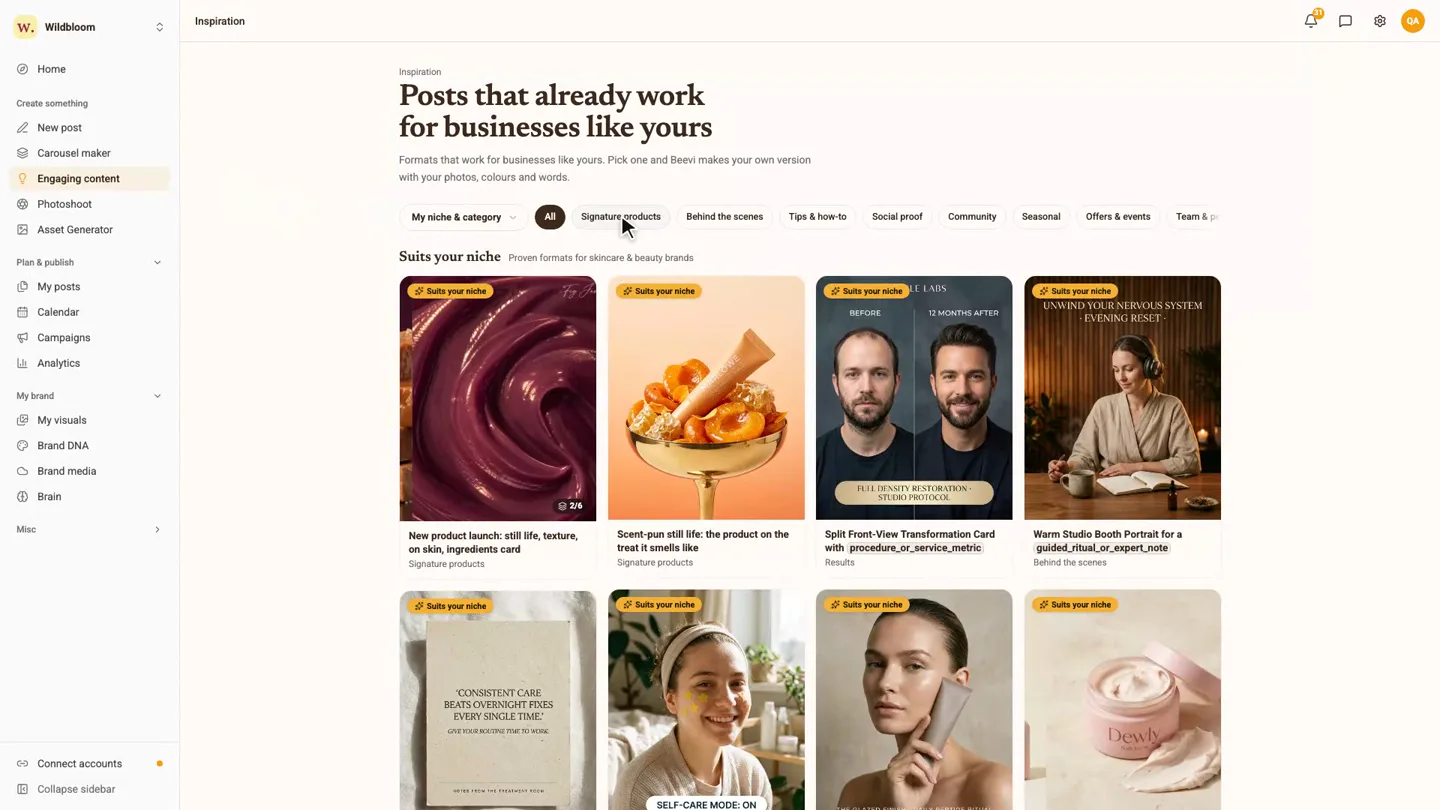
2Browse formats for your niche
The page opens on formats that suit your business. Use the niche menu to look at other niches, filter by theme, and turn on Hide used to skip formats you have already made.
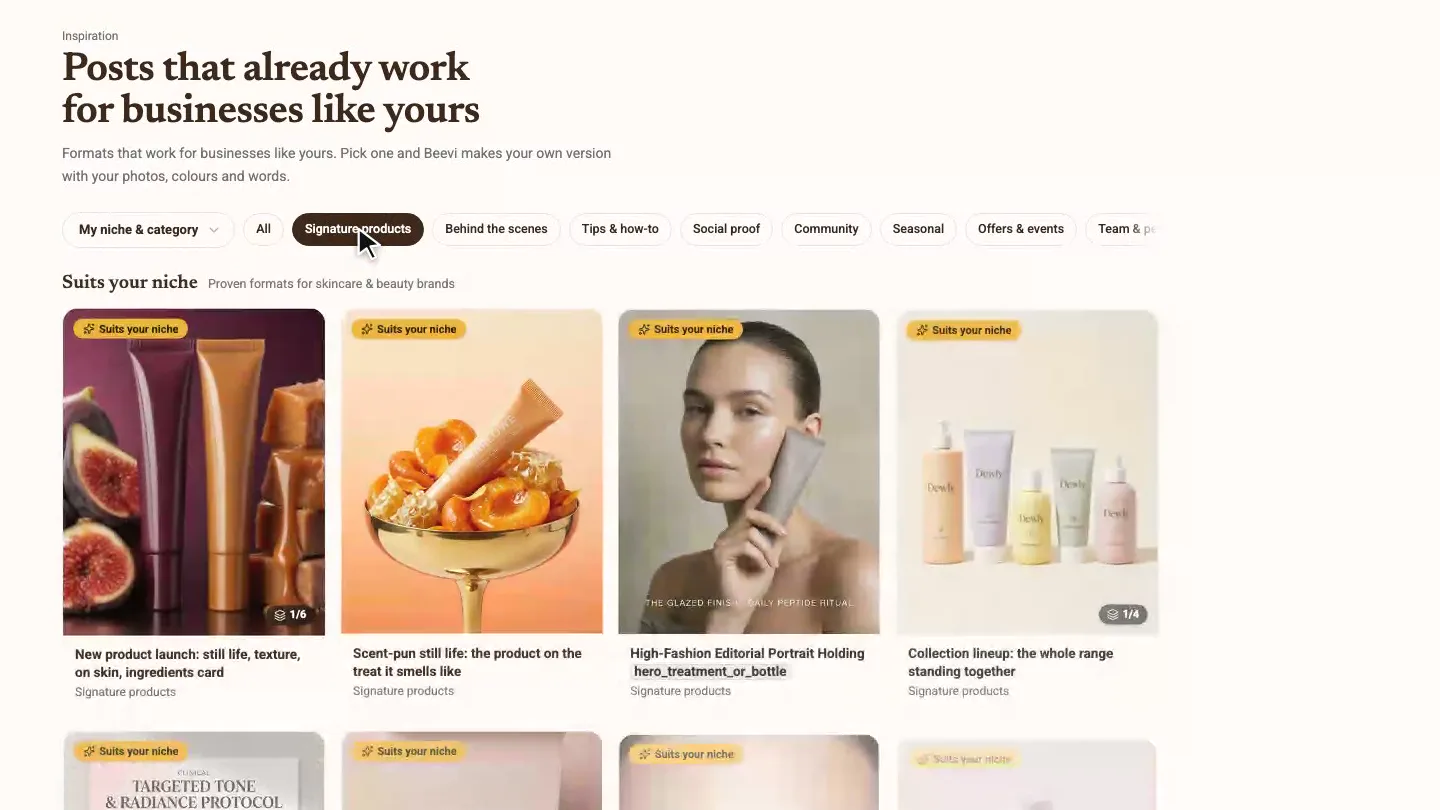
3Open a format
Click a format to see an example and what it needs, like product photos. Open How Beevi makes it to read why it works and how posts like it did.
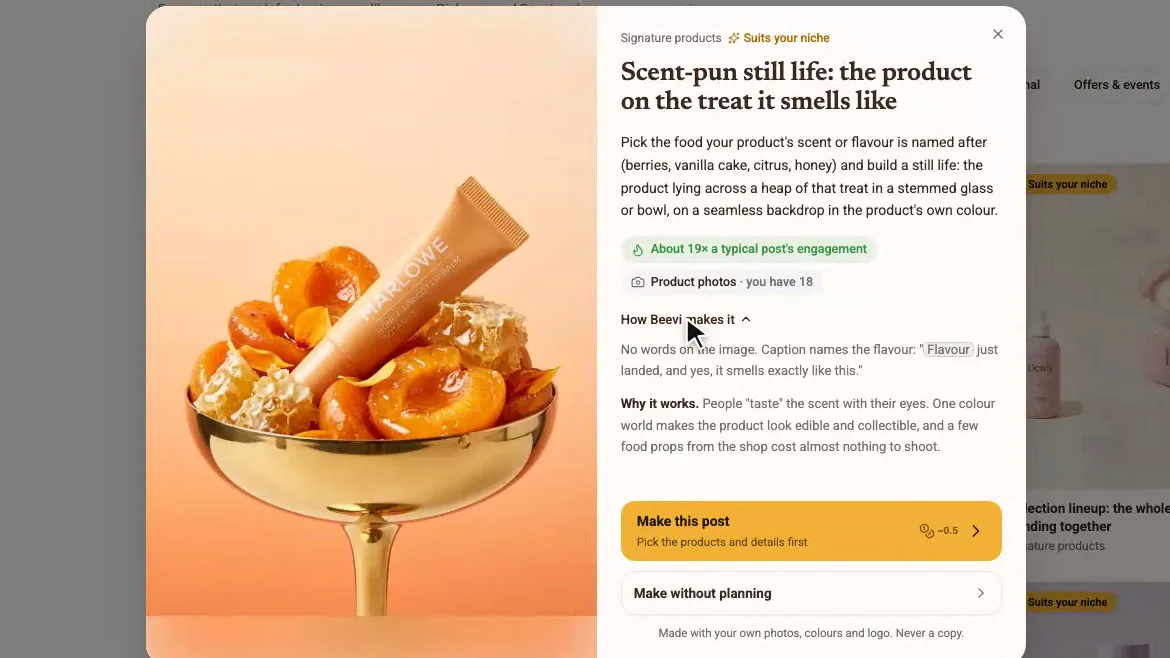
4Click Make this post
Click Make this post. Beevi writes the idea for your brand, then asks a few things only you know, like which product to feature. Your best picks are already chosen, so you can just check them.
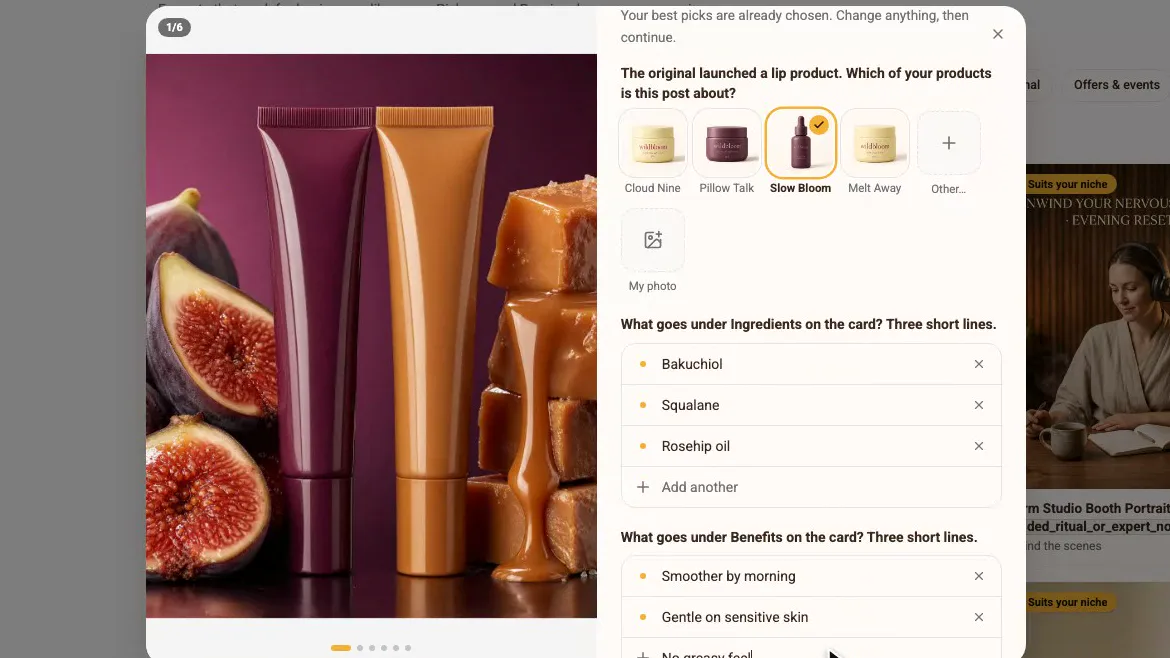
Tip: In a hurry? Choose Make without planning, pick your platforms and Beevi makes the post straight away.
5Check it and generate
On Ready to make, check the idea and pick where it is going, then click Generate post. Want to word it yourself? Click Edit the whole idea yourself.
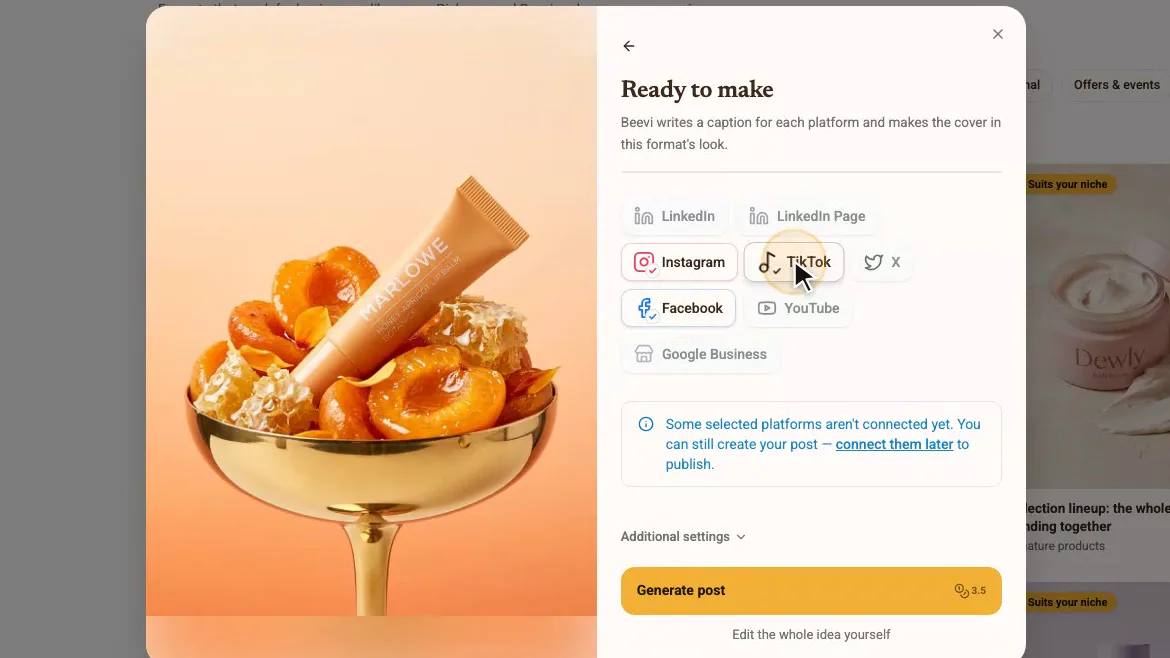
6Edit and schedule
When the post is ready, Beevi opens it in the editor. You can close the window while you wait, and Beevi lets you know when it's done. Edit the caption or cover like any post, then publish or schedule it.
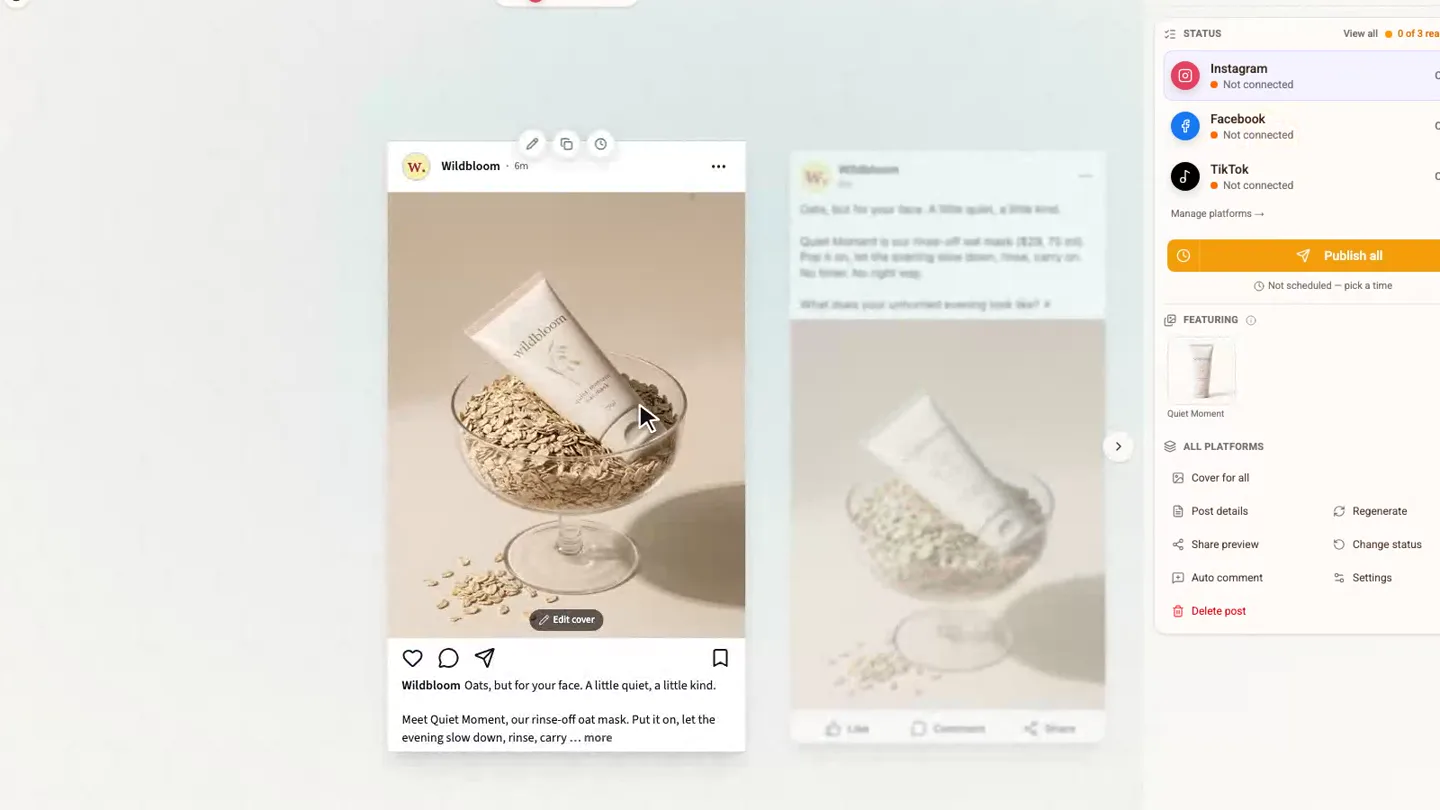
7Make a carousel the same way
Carousel formats show their slide count on the card, like 1/6. Open one and click Make this post. Beevi asks what only you know, like the product and the details that go on the slides, then makes every slide in the format's look.
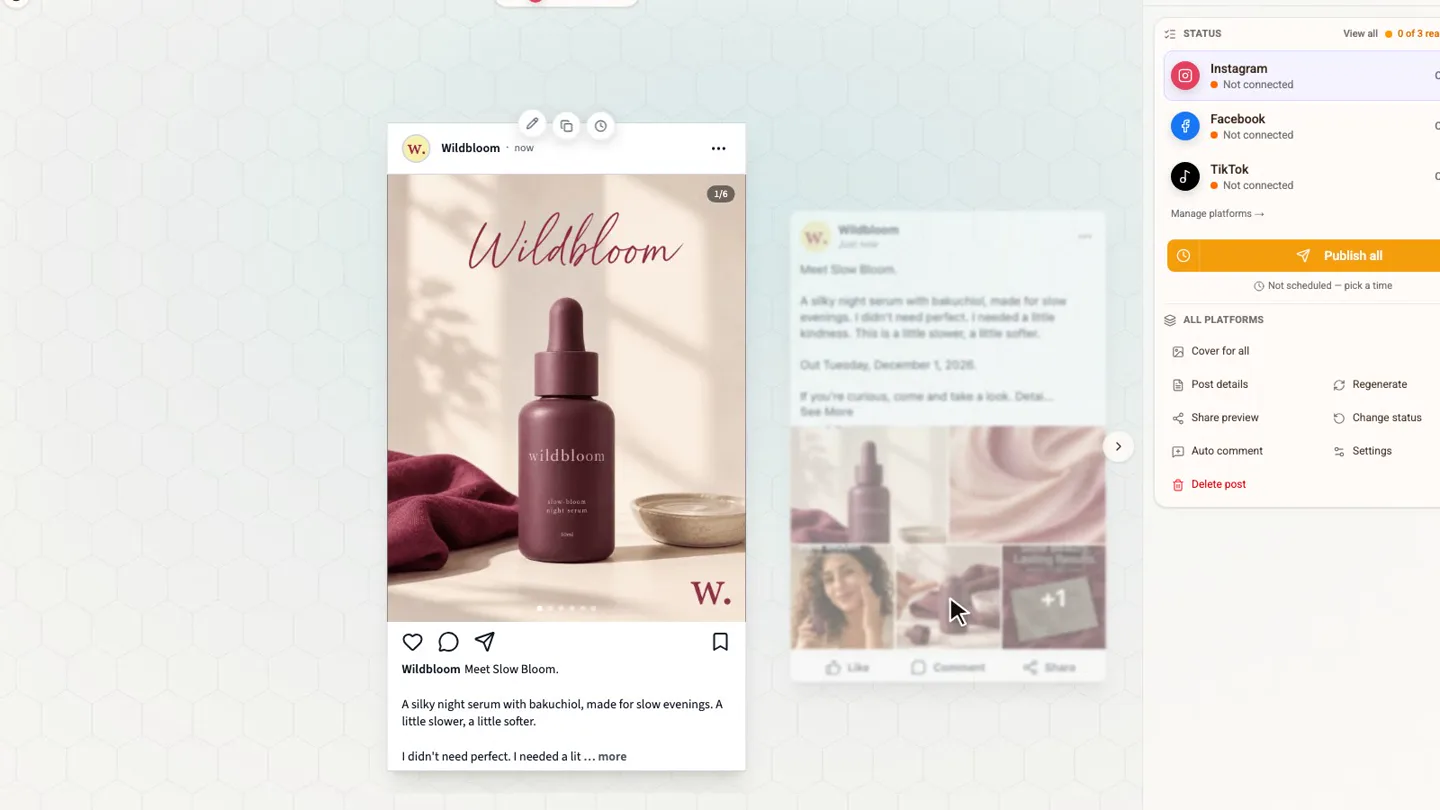
Questions
Where do these post formats come from?
Each one is taken from a real post that did unusually well for its own account. The examples you see were made by Beevi for made-up brands.
Will my post be a copy of someone else's?
No. Beevi keeps the format, not the content, and makes the post with your own photos, colors, logo and words.
What if a format doesn't fit my business?
Beevi tells you when it can't find an honest version of a format for your brand. You can then describe what the post should show instead, or pick another format.
More guides
- ▶ 2:17

Approve a week of posts
How to build a social media content plan that follows the trends
A week of posts, ready for your yes or no
Video + written steps · 5 steps
- ▶ 2:19

Create a post from an idea
How to create a social media post from one idea, with AI
A post for each platform, from one sentence
Video + written steps · 7 steps
- ▶ 2:20

Run an AI product photoshoot
How to do AI product photography with your real products
A set of product photos in a few minutes
Video + written steps · 5 steps
- ▶ 2:39

Plan a campaign
How to create a social media campaign with AI, from idea to dated posts
A strategy and a run of dated posts, ready to edit
Video + written steps · 6 steps
- ▶ 1:54

Schedule your posts
How to schedule social media posts to multiple platforms at once
A month of posts on every platform, scheduled
Video + written steps · 6 steps
- ▶ 2:05

Improve a post's cover
How to design social media posts that look right, with AI
A cover you like, on every platform
Video + written steps · 6 steps